
Google Business Profile for Contractors: A Trust Guide
Learn how contractors can turn a basic Google Business Profile into a stronger trust asset with accurate setup, service categories, real photos, reviews, posts, and profile management.

William Peterson
Growth Marketing @ ReviewCatch
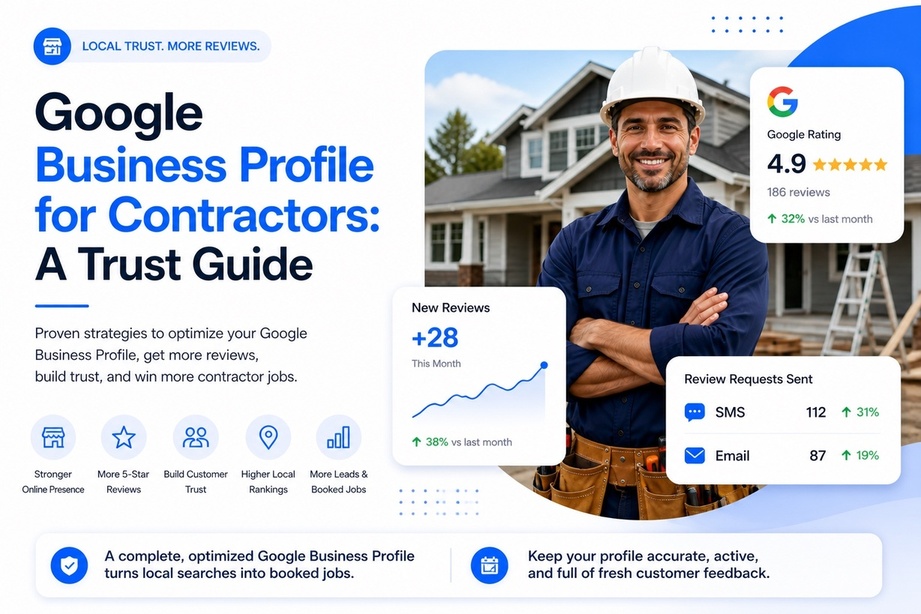
A contractor usually finds out how important a Google Business Profile is when the phone is not ringing enough, even though the crew does solid work.
The profile is live. The business name is there. Maybe a few photos are uploaded. Maybe the hours are mostly correct. But when a homeowner compares that profile against three competitors, it does not feel like the safest company to call.
That is the gap most contractor profiles have.
They are technically present, but they do not sell trust.
A strong Google Business Profile for contractors does more than help with local visibility. It answers the quiet questions a prospect asks in a few seconds:
- Is this company real?
- Do they handle this kind of job often?
- Will they answer the phone?
- Will they show up?
- Can I trust them in my home?
- Do other local customers recommend them?
Every part of the profile either helps answer those questions or leaves doubt on the table.
For contractors, that matters because the Google Business Profile often becomes the first impression, sales page, review page, photo gallery, map listing, and contact button all at once.
Why Your Google Business Profile Is One of Your Best Sales Assets
When a homeowner has a burst pipe, a dead AC unit, a leaking roof, a tripped panel, or a damaged driveway, they usually are not starting with a long research process.
They search Google.
Then they scan the local results.
They compare names, ratings, photos, service areas, hours, and reviews. Then they call the company that looks safest.
That is why a Google Business Profile for contractors matters so much.
Your website still matters. Referrals still matter. Yard signs, trucks, local reputation, and word of mouth still matter. But for high-intent local searches, your Google listing often does the first round of selling before the prospect ever lands on your website.
Trust is built in seconds
A homeowner does not read every detail of your profile at first.
They scan for trust signals.
They look for:
- A clear business name
- A relevant category
- A local phone number
- Real project photos
- Recent reviews
- Professional review responses
- Accurate hours
- A real website
- Service areas that match their location
- Signs that the business is active
If those signals are missing, the lead usually goes to the next contractor.
A sloppy profile creates hesitation. A complete profile reduces risk.
A weak Google Business Profile makes a good contractor look less trustworthy than they really are.
The profile often matters before the homepage
For many contractors, the Google profile is the first thing prospects see and sometimes the only thing they need before calling.
That is especially true for:
- Plumbers
- HVAC companies
- Electricians
- Roofers
- Landscapers
- Remodelers
- Painters
- Flooring contractors
- Concrete contractors
- Garage door companies
- Restoration companies
- General contractors
A polished profile works all day. It handles first impressions after hours, on weekends, and while your crew is on job sites.
A weak one does the opposite. It creates doubt right when someone is ready to hire.
Start With Ownership, Verification, and Basic Accuracy
A Google Business Profile cannot build trust if the basics are wrong.
Wrong phone number, old address, messy service area setup, duplicate listings, incorrect hours, and incomplete verification can all create problems.
For contractors, the foundation needs to be clean before anything else gets optimized.
Claim and verify the profile
The first step is simple.
Claim the listing and complete Google’s verification process.
Depending on the business, Google may verify through phone, email, postcard, video, or another method. Contractors should be ready for video verification because Google may want proof that the business is real and operating as claimed.
That can include:
- Branded vehicles
- Tools and equipment
- Business signage
- Uniforms
- Office or shop space
- Service-area proof
- Access to the business website or business documents
This matters because an unverified or poorly verified profile is not a strong business asset.
It is incomplete.
Get the core details exactly right
This part sounds boring, but it is where many trust and visibility problems start.
The key details are:
- Business name: Use the real business name. Do not stuff extra keywords, city names, or service terms into the name unless they are part of the real public-facing business name.
- Primary phone number: Use the number customers should call. If you use call tracking, make sure it is set up carefully so the profile stays consistent and customers are not confused.
- Website link: Send people to the best page for action. For most contractors, that is the homepage, booking page, quote page, or a high-converting service page.
- Address or service area: If customers visit your location, use the real customer-facing address. If you are a service-area business, set up service areas correctly instead of forcing a home address into the listing.
- Hours: Keep hours accurate. If you offer emergency services, make that clear without misleading people about when the office actually answers.
Practical rule: accuracy beats cleverness. Google can work with a complete, legitimate profile. It will not reward a profile that looks manipulated.
Fill in the details customers actually check
A contractor does not need a flashy profile. The profile needs to feel stable, current, and managed.
| Profile field | What the customer reads into it |
|---|---|
| Business hours | Can this company help when I need them? |
| Website link | Is there a real business behind this listing? |
| Service areas | Do they actually come to my neighborhood? |
| Services | Do they handle my exact problem? |
| Photos | Have they done work like this before? |
| Reviews | Do other customers trust them? |
| Responses | Does this company pay attention? |
A complete profile creates confidence before the first call.
Choose Categories That Match the Work You Actually Want
Category choice is one of the most important parts of a Google Business Profile for contractors.
It affects both relevance and customer trust.
If a roofing company uses a vague primary category like “Contractor,” it tells Google less and tells homeowners less. The prospect is not looking for “some contractor.” They are looking for the contractor who solves their exact problem.
Use the most specific primary category
The primary category should match the main service the company wants to be known for.
Examples:
- Roofing company: Roofing Contractor
- Plumbing company: Plumber
- HVAC company: HVAC Contractor
- Electrical company: Electrician
- Landscaping company: Landscaper
- Painting company: Painter
- General contractor: General Contractor
- Concrete company: Concrete Contractor
- Garage door company: Garage Door Supplier or the closest accurate category
The goal is not to choose every possible category.
The goal is to choose the most accurate primary category and then add secondary categories that genuinely match the business.
Avoid category confusion
Do not add categories for services you barely offer or do not want to attract.
For example, if a remodeling contractor occasionally patches drywall, that does not necessarily mean “Dry Wall Contractor” should become a major category. If a landscaper sometimes refers out hardscaping, the profile should not make hardscaping look like a core service.
The profile should reflect the business you actually operate.
That protects trust and keeps leads more qualified.
Write a Business Description That Builds Trust
The business description should not read like keyword stuffing.
It should sound like a contractor a homeowner would trust.
A weak description says:
We are the best contractor offering quality services, affordable prices, professional work, and customer satisfaction.
That could describe almost anyone.
A stronger description explains:
- What the company does
- Who it serves
- Where it works
- What kind of problems it solves
- Why customers trust the process
Example contractor description
Here is a stronger example:
ABC Roofing helps homeowners in [City] and surrounding areas with roof repairs, roof replacements, leak detection, storm damage repairs, and inspections. Our team focuses on clear communication, clean job sites, and practical recommendations so homeowners understand what needs to be fixed and why. We serve residential customers across [Service Area] and provide estimates for both urgent repairs and planned roofing projects.
That description is not overhyped.
It is clear.
It tells a homeowner what the company does and what kind of experience to expect.
Use the keyword naturally
You do not need to force the phrase Google Business Profile for contractors into every paragraph. That looks unnatural.
Use the keyword in strategic places:
- Title
- Intro
- One early body paragraph
- A practical checklist section
- Image alt text where relevant
- Meta description if you are building the page
- Internal links from related articles
The page should target the keyword without sounding like it was written only for search engines.
Treat the Services Section Like a Mini Sales Page
Most contractors underuse the Services section.
That is a mistake.
The Services section helps prospects understand whether you handle their exact job. It also gives Google more context about what your business offers.
Instead of listing only broad labels, break services into specific job types customers recognize.
Plumbing example
A plumber could list:
- Emergency plumbing repair
- Drain cleaning
- Leak detection
- Water heater repair
- Water heater installation
- Sewer line repair
- Toilet repair
- Faucet installation
- Sump pump repair
- Burst pipe repair
Roofing example
A roofer could list:
- Roof repair
- Roof replacement
- Roof inspection
- Leak detection
- Storm damage repair
- Shingle roofing
- Flat roofing
- Emergency roof tarping
- Gutter repair
- Skylight leak repair
HVAC example
An HVAC company could list:
- Furnace repair
- Furnace installation
- AC repair
- AC installation
- Heat pump service
- Ductless mini-split installation
- Emergency HVAC repair
- Seasonal maintenance
- Thermostat installation
- Indoor air quality service
Specific services help customers feel understood.
They also help the profile match real searches better.
Use Photos to Prove the Business Is Real
A contractor with no real photos creates an immediate trust problem.
Customers may not say it out loud, but they notice when every image looks staged, generic, or pulled from a stock library.
A better profile tells a simple story:
- This company is active.
- The crew does real work.
- The work looks clean.
- The business has equipment, vehicles, and people.
- Customers can see proof before calling.
Real photos beat polished stock shots
Homeowners trust reality more than polish.
A clear photo of an actual repair, install, replacement, remodel, cleanup, or job site does more work than a perfect stock image.
The strongest photo mix usually includes:
- Completed projects
- Before-and-after photos
- In-progress work
- Crew photos
- Branded trucks or vans
- Equipment photos
- Job site photos
- Office, shop, or storefront photos
- Photos of clean finished work
- Photos that show scale and detail
Do not upload only beauty shots.
A contractor’s profile should show real work in real environments.
Add photos consistently
A one-time photo dump is better than nothing, but a steady photo habit is stronger.
A simple process works:
- Add photos after completed jobs.
- Save the best before-and-after pairs.
- Include different service types.
- Show different neighborhoods or project types when relevant.
- Avoid customer-identifying details unless you have permission.
- Do not show unsafe job site practices.
Customers trust evidence that looks real. Clean trucks, active crews, finished work, and practical job photos all signal that the company is operating and accountable.
Use Google Posts to Keep the Profile Active
Google Posts are not magic, but they help the profile feel current.
An active profile suggests an active contractor.
Useful post ideas include:
| Post type | What it signals |
|---|---|
| Recent job highlight | This company is doing this work now. |
| Seasonal reminder | They understand local problems. |
| Service spotlight | They handle my specific issue. |
| Team update | This is a real operation. |
| Offer or estimate reminder | There is a clear next step. |
Examples:
- Recent furnace replacement completed in [City].
- Spring roof inspections are now available.
- Emergency plumbing repairs available in [Service Area].
- New service van added to support faster response times.
- Before-and-after: old deck replaced with pressure-treated lumber.
The goal is not to post constantly.
The goal is to avoid looking abandoned.
Use Q&A to Answer Pre-Call Objections
The Q&A section is often ignored, but it can help remove friction.
Contractors can use it to answer common questions before the customer calls.
Good questions include:
- Do you offer emergency service?
- Do you provide free estimates?
- Which cities do you serve?
- Are you licensed and insured?
- Do you handle small repairs?
- Do you work with commercial properties?
- Do you offer financing?
- Do you work on older homes?
- Do you provide warranties?
- How quickly can someone book an appointment?
Keep answers short and clear.
Do not use the Q&A section to overpromise.
Use it to reduce uncertainty.
Master Reviews to Build Social Proof
A homeowner finds three contractors on Google after seeing water damage, losing heat, or finding a roof leak.
All three have decent websites.
The profile with recent, specific reviews usually gets the call.
Reviews matter because they answer the questions a cautious customer is already asking:
- Did the company show up?
- Was the crew professional?
- Was the price clear?
- Did they explain the work?
- Did they clean up?
- Did they fix the issue?
- Would other local customers hire them again?
A steady review flow beats random spikes
Customers notice patterns.
A steady flow of reviews over time feels more believable than a sudden burst of generic praise.
A strong review profile usually includes:
- Recent reviews
- Specific comments
- Mentions of services performed
- Mentions of staff or crews
- Local context
- Professional owner responses
- A mix of project types
- Evidence that the business is still active
Specificity sells.
“Fixed our leaking copper line in one visit” is stronger than “great service.”
“Replaced our roof after storm damage and explained the whole process” is stronger than another generic five-star rating.
Practical rule: ask for the review after the customer has seen the result and the crew has wrapped up cleanly.
Build the review ask into the closeout process
Contractors who rely on memory get inconsistent results.
The technician forgets. The office gets busy. The customer moves on. The review never happens.
The review request works better when it is part of job closeout.
Send it after:
- The job is marked complete
- The invoice is closed
- The customer confirms the issue is fixed
- The project milestone is approved
- The final walkthrough is finished
- The customer has had time to inspect the work
The message should be short and direct.
Example:
Hi [First Name], thanks for choosing [Business Name] for your [Service]. If you have a minute, would you leave us a quick Google review? Here is the link: [Review Link]
Do not ask for a specific rating.
Do not pressure the customer.
Do not offer rewards.
Make it easy for real customers to leave honest feedback.
Respond Like a Contractor a Stranger Would Trust
Every review response is public.
Future customers read responses to judge temperament, professionalism, and accountability.
A good response to a positive review should:
- Thank the customer
- Mention the service when appropriate
- Reinforce the kind of experience future customers want
Example:
Thanks for trusting us with your panel upgrade. Glad our crew could get the issue handled quickly.
That response does more than say thanks. It confirms the service and shows how the company communicates.
Negative reviews need calm, not emotion
Negative reviews matter even more.
A defensive reply can cost more work than the complaint itself.
A calm response shows that the contractor can handle friction without getting sloppy in public.
| Review type | Weak response | Better response |
|---|---|---|
| Positive | Thanks. | Thanks for trusting us with the panel upgrade. Glad the team could get it handled quickly. |
| Negative | You’re wrong. | Sorry to hear this. We take service concerns seriously and want to review what happened directly. Please contact our office so we can address it. |
Do not argue in public.
Do not reveal private details.
Do not blame the customer.
Do not get sarcastic.
The goal is not to win a debate. The goal is to show future customers that the business handles issues professionally.
Avoid Common Profile Mistakes and Suspensions
Some contractor profile problems do not come from weak marketing.
They come from setup mistakes that put the listing at risk.
Service-area businesses run into this constantly. A plumber, electrician, HVAC company, roofer, or mobile repair business may not have a storefront customers visit, but still needs a compliant profile.
That is where many contractors get careless.
Common mistakes that create problems
These issues show up again and again:
- Using a home address improperly for a service-area business
- Keyword stuffing the business name
- Creating duplicate listings
- Using inconsistent phone numbers across the web
- Letting old addresses remain online
- Listing service areas that are too broad or inaccurate
- Ignoring suspension notices
- Choosing categories that do not match the real business
- Adding services the company does not actually provide
- Using fake reviews or review gating
A contractor might get away with some of this temporarily. Then visibility drops, the listing gets suspended, or customers start getting confused.
What a safer setup looks like
A cleaner approach is straightforward.
If the business is a true service-area business, set it up that way.
If customers visit a real office or showroom, make sure the address is accurate and eligible.
Keep the business name real.
Keep the phone number, website, branding, and service details consistent everywhere customers find the company.
If a suspension happens, do not panic.
Clean up the root issue before trying to reinstate:
- Fix the name
- Fix the address or service area
- Remove duplicates
- Correct the category
- Make the website consistent
- Gather proof that the business is legitimate
A trustworthy profile does not just look legitimate.
It is legitimate from top to bottom.
A Practical Google Business Profile Checklist for Contractors
Use this checklist to tighten the profile.
Foundation
- Claim and verify the profile.
- Use the real business name.
- Choose the correct primary category.
- Add accurate secondary categories.
- Use the correct phone number.
- Add the best website link.
- Set service areas properly.
- Keep hours accurate.
- Add holiday hours when needed.
Trust signals
- Upload real project photos.
- Add branded vehicle photos.
- Add crew or team photos.
- Fill out the Services section.
- Write a clear business description.
- Add useful attributes.
- Answer common Q&A questions.
- Post occasional updates.
Review system
- Ask after completed jobs.
- Use a direct Google review link.
- Send SMS or email requests.
- Keep messages short.
- Avoid asking for a specific rating.
- Respond to positive reviews.
- Respond calmly to negative reviews.
- Track review volume and recency.
Risk prevention
- Do not keyword stuff the business name.
- Do not create duplicate listings.
- Do not fake reviews.
- Do not review gate.
- Do not use an ineligible address.
- Do not ignore suspension warnings.
- Keep website, citations, and profile details consistent.
Where ReviewCatch Fits
Contractors who want a steadier review process can use ReviewCatch to automate Google review requests through SMS and email after completed jobs.
For contractors, the challenge is usually not that customers are unhappy.
The challenge is that happy customers forget to leave reviews.
The technician moves to the next job. The office gets busy. The customer goes back to their day. The review never gets posted.
ReviewCatch helps contractors:
- Send review requests after completed jobs
- Use SMS and email follow-ups
- Connect review requests to customer workflows
- Reduce reliance on staff memory
- Apply cooldown rules for repeat customers
- Monitor new reviews
- Respond faster
- Keep fresh customer feedback flowing into the Google Business Profile
ReviewCatch does not replace good work.
The contractor still has to deliver.
But when the work is good, ReviewCatch helps make sure more satisfied customers have a simple path to share that experience publicly.
Final Takeaway
A strong Google Business Profile for contractors is not just a local SEO asset.
It is a trust asset.
It helps homeowners decide whether your company is real, active, professional, and safe to call.
The best contractor profiles do not rely on one trick. They combine accurate setup, specific categories, real photos, clear services, steady reviews, professional responses, and compliant profile management.
That is what turns a basic listing into a profile that earns calls.
If your Google Business Profile looks unfinished, outdated, or thin, it is probably costing you leads.
Fix the foundation. Show real work. Ask for reviews consistently. Respond professionally. Keep the profile current.
That is how contractors turn Google visibility into trust, and trust into booked jobs.
Ready to turn your Google profile into a trust asset?
ReviewCatch helps contractors request more Google reviews, follow up with customers, monitor new feedback, and keep fresh proof flowing into their local reputation.
Start getting more contractor reviewsSources
- Google Business Profile Help: Guidelines for representing your business on Google
- Google Business Profile Help: Add or edit your business information
- Google Business Profile Help: Tips to get more reviews
- Google Business Profile Help: Read and reply to reviews
- Google Business Profile Help: Service-area businesses