
How to Embed Google Reviews on Your Website to Drive More Sales
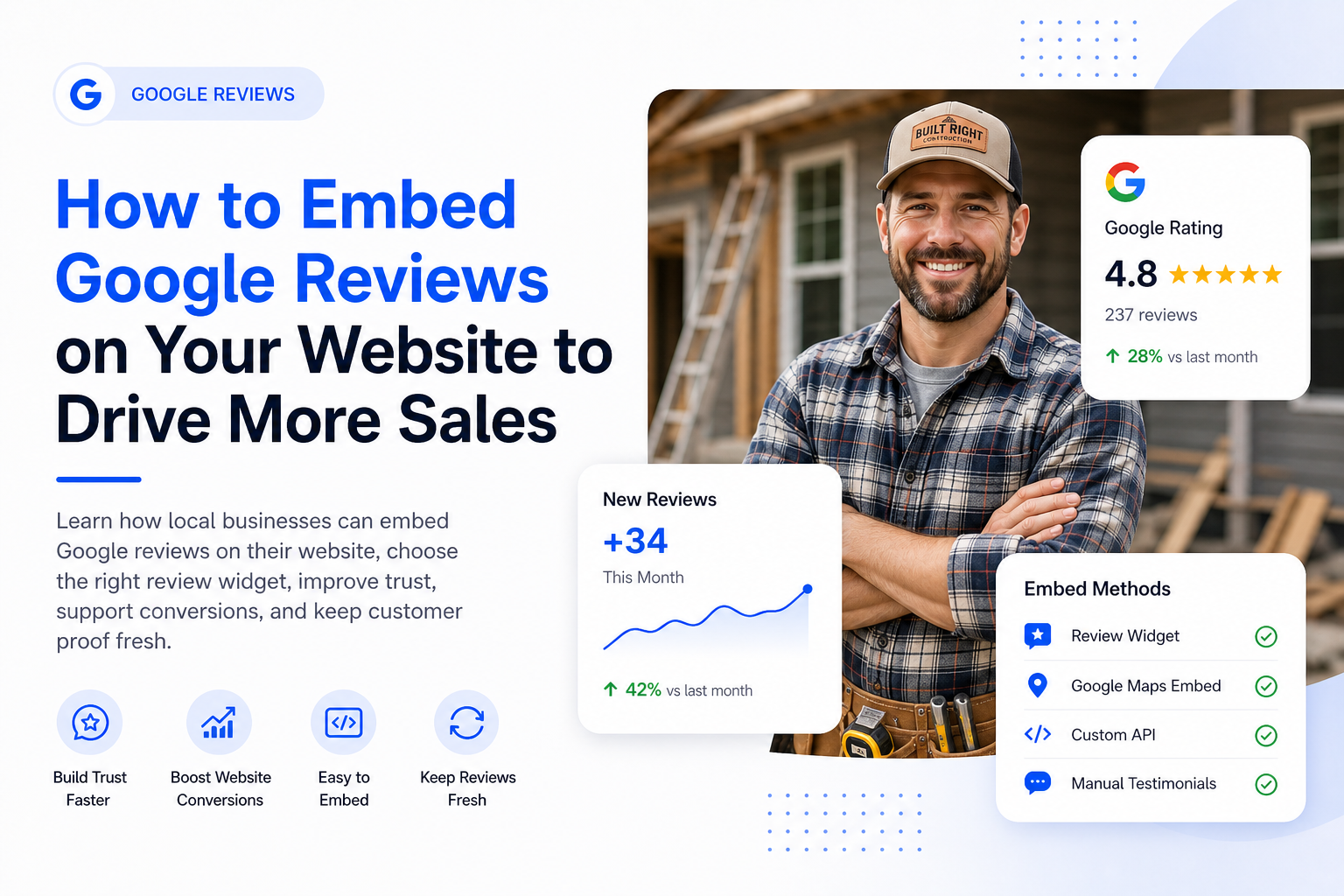
Learn how to display Google reviews on your website, choose the right embed method, improve trust near key calls to action, and keep customer proof fresh.

William Peterson
Growth Marketing @ ReviewCatch
A lot of local service businesses already have the proof they need.
Happy customers leave strong Google reviews. The star rating looks solid. The phone team knows people mention those reviews before booking. Then a prospect lands on the company website and sees none of it.
That gap costs jobs.
The customer who clicks from Google to your website wants one quick answer before calling:
Can this business be trusted?
For a plumber, electrician, HVAC company, roofer, auto repair shop, cleaning company, clinic, or contractor, that trust question matters more than another paragraph saying “quality service.” Customers want proof from other customers.
That is why embedding Google reviews on your website can make such a big difference.
It puts social proof where buying decisions happen. Instead of forcing visitors to leave your site, go back to Google, compare competitors, and maybe get distracted, you show real customer feedback directly beside the pages, forms, and calls to action that drive revenue.
The key is choosing the right method.
Some review embed options are free but limited. Some are flexible but technical. Some are easy to maintain and keep reviews fresh automatically. For a busy local business, that difference matters more than the technical label.
Your Best Reviews Should Not Stay Trapped on Google
A plumbing company finishes a water heater replacement. The homeowner is relieved, the technician handled the job well, and a glowing review appears on Google the next day.
That review helps on Google.
But it does almost nothing for the water heater repair page on the company website unless it gets displayed there.
That is the problem most local businesses have. They work hard to earn trust, but their website still relies mostly on self-promotion. The strongest proof comes from customers, not from company copy.
If that proof lives only on Google, website visitors do not see it at the moment they are deciding whether to call.
Why reviews help website conversion
A customer visiting your site is usually judging risk.
They are thinking:
- Will this company show up on time?
- Will the technician explain the issue clearly?
- Will the final bill match the estimate?
- Will they respect my home, vehicle, property, or business?
- Do other people like me trust them?
- Is this business active and reliable?
Reviews help answer those questions because they use the customer’s language.
The most persuasive reviews are often simple:
They arrived on time.
The technician explained everything clearly.
They cleaned up after the job.
The price matched the quote.
I would call them again.
Those details do more conversion work than generic claims about quality, professionalism, or customer satisfaction.
Reviews support the lead journey
Reviews do different jobs in different places.
On Google, reviews help earn the click.
On your website, reviews help keep the lead moving toward the call, form submission, booking, or quote request.
That is the business case for embedding Google reviews on your website. It is not decoration. It is sales support.
A visible review section can improve trust without redesigning the whole website, rewriting every service page, or rebuilding your brand from scratch.
Reviews do their best work near the action point. Put them close to quote forms, phone numbers, booking buttons, and service CTAs.
Where to Place Google Reviews on Your Website
Review placement matters.
A testimonials page is fine, but it usually is not where reviews do their best work. Most visitors do not click around looking for proof. They need proof placed directly in the buying path.
Homepage
Your homepage is usually the best place for a compact review section.
Good placements include:
- Just below the hero section
- Near the first “Book Now” or “Get a Quote” button
- Above the services section
- Near the contact form
- Above the final call to action
The goal is to show visitors quickly that real customers trust the business.
Service pages
Service pages are where reviews can become highly persuasive.
A plumbing company should show plumbing reviews on plumbing pages. An HVAC company should show AC repair reviews on AC repair pages. An auto repair shop should show brake repair reviews on brake repair pages.
Specific proof beats generic proof.
A review that says, “They fixed our furnace the same day and explained the issue clearly” belongs on a furnace repair page, not buried on a general testimonials page.
Location pages
For multi-location businesses, location pages should show reviews tied to that location whenever possible.
A customer looking at your Mississauga location does not want a random review from Ottawa. Local proof makes the page feel more relevant and trustworthy.
This is especially important for franchises, clinics, service-area businesses, and companies with multiple branches.
Quote and booking pages
This is one of the highest-value placements.
A visitor who reaches a quote form is close to taking action. A small review strip beside or above the form can reduce hesitation.
Good formats include:
- A short carousel
- Three recent reviews
- A star rating summary
- A single featured review
- A review badge with a link to more reviews
Do not overload the page. The review section should reassure the visitor, not distract them.
Pricing, estimate, and financing pages
If your business has pricing, financing, or estimate pages, reviews can help reduce anxiety.
For example:
- Fair pricing
- No surprises
- Clear estimate
- Explained my options
- No pressure
Those review themes are extremely useful near pricing-related content.
Four Ways to Embed Google Reviews on Your Website
There are four main ways to add Google reviews to a website.
Each one can work, but they are not equal.
The right choice depends on your budget, technical skill, design expectations, and how much ongoing maintenance you are willing to handle.
Method 1: Manually Copy and Paste Reviews
This is the simplest option.
Someone copies a few Google reviews and pastes them onto the website as testimonials.
It can work for a small business that wants full control over the design. It also works for landing pages where you only need a few strong quotes.
But there is a major problem.
Manual review sections get stale fast.
A business adds five reviews during a website redesign, then nobody updates them for a year. The reviews may still be positive, but they start to feel old. Visitors notice when testimonials are dated, generic, or unchanged.
Best for
Manual copy and paste can work for:
- Small websites
- Short-term landing pages
- Businesses that only want to feature a few selected quotes
- Teams that are willing to update reviews manually
Trade-offs
Pros:
- Easy to set up
- Full design control
- No extra software needed
- Works on almost any website builder
Cons:
- High maintenance
- Reviews get outdated
- Easy to forget
- Less dynamic than a live feed
- Can feel overly curated if only perfect reviews are shown
Manual posting is cheap at first, but it becomes expensive in staff attention.
Method 2: Google Maps Embed
Google Maps gives businesses a free way to embed location content on a website.
This can be useful on a contact page or location page. It helps visitors see where the business is and confirms that the listing is real.
But a Google Maps embed is not the same as a strong review section.
It is better for location context than conversion.
The design is limited, the layout can feel clunky, and the business has little control over how review content appears.
Best for
A Google Maps embed can work for:
- Contact pages
- Storefront location pages
- Businesses that want a free official option
- Sites that only need basic location proof
Trade-offs
Pros:
- Free
- Official Google source
- Easy to add
- Useful for showing location
Cons:
- Limited design control
- Not built for conversion
- Can look bolted on
- Less useful for service pages
- Not ideal as the main review display method
If the goal is simply showing your location, a Google Maps embed can help.
If the goal is turning more visitors into leads, there are better options.
Method 3: Custom Google Places API Build
A custom build gives the most control.
A developer can use Google’s Places API to pull review data and display it in a custom section that matches the website perfectly. Google explains Places API setup and pricing in its official documentation.
This can be a strong option for larger companies, custom websites, franchises, or agencies that need full control.
But it is not the simplest path for most local businesses.
A custom API setup usually requires:
- Developer support
- API configuration
- Billing setup
- Front-end development
- Ongoing maintenance
- Monitoring if Google changes requirements
- Troubleshooting if the website theme or platform changes
Best for
A custom API build can work for:
- Larger brands
- Multi-location companies
- Agencies building custom client systems
- Businesses with in-house developers
- Websites that need a fully custom review display
Trade-offs
Pros:
- Maximum flexibility
- Full design control
- Can support complex multi-location setups
- Can be built into custom dashboards or templates
Cons:
- Requires technical skill
- Higher setup cost
- Ongoing maintenance
- API and billing complexity
- Overkill for many small businesses
For most local businesses, this option is more technical than necessary.
Method 4: Third-Party Review Widget
For most local service businesses, a review widget is the best balance of speed, design, and maintenance.
A widget connects to the Google Business Profile, pulls reviews automatically, and gives the website owner a code snippet to place on the site.
That means the review section can stay fresh without someone copying and pasting reviews every month.
It also gives more design control than a basic Maps embed without requiring a developer to build a custom API integration.
Best for
A review widget is usually best for:
- Contractors
- Home service businesses
- Auto repair shops
- Clinics
- Cleaning companies
- Local service brands
- Multi-location businesses
- Busy owners who want reviews displayed without ongoing manual work
Trade-offs
Pros:
- Faster setup
- Automatic updates
- Better design options
- Less manual maintenance
- Easier for non-technical teams
- Good for service pages, homepages, and booking pages
Cons:
- Usually requires software
- Quality depends on the provider
- Some widgets can slow down pages if poorly built
- Needs occasional checking after website updates
For most local businesses, this is the highest-return option.
It keeps social proof fresh, professional, and visible without turning review management into another office task.
Quick Comparison: Which Method Should You Use?
| Method | Setup effort | Skill required | Maintenance | Best fit |
|---|---|---|---|---|
| Manual copy and paste | Low | Low | High | Small sites or selected testimonials |
| Google Maps embed | Low | Low | Low | Contact and location pages |
| Google Places API | High | High | Medium to high | Custom builds and larger brands |
| Review widget | Low to medium | Low to medium | Low | Most local businesses |
For a busy local business, the review widget usually wins.
Manual copy is easy but gets stale. A Maps embed is free but limited. A custom API build is powerful but technical. A widget gives the best mix of freshness, flexibility, and ease.
How to Add Google Reviews With a Widget
The exact steps depend on the tool, but most review widgets follow a similar process.
Step 1: Connect your Google Business Profile
The widget needs to pull reviews from the correct Google listing.
For a single-location business, this is straightforward. For a multi-location business, make sure each location connects to the right profile.
The goal is to avoid showing the wrong reviews on the wrong page.
Step 2: Choose the review layout
The layout should match the purpose of the page.
Common options include:
- Carousel
- Grid
- List
- Badge
- Single featured review
- Review summary card
- Floating review widget
A homepage usually works best with a compact carousel or review summary.
A dedicated testimonials page can handle a larger grid.
A quote page often works best with a short review strip near the form.
Step 3: Customize the design
The review section should look like part of the website.
Adjust:
- Font style
- Card spacing
- Star display
- Background color
- Number of reviews shown
- Mobile layout
- Button styling
- Review length
- Reviewer name display
Avoid widgets that look like random third-party boxes dropped onto the page.
The best review embed feels native to the site.
Step 4: Paste the embed code
Most tools generate a small script or embed code.
It may look something like this:
<div class="reviews-widget"></div>
<script src="widget.js" data-placeid="YOUR-PLACE-ID"></script>
The code usually gets pasted into a website builder block, custom HTML section, or theme area.
Step 5: Check desktop and mobile
Do not skip this step.
Review widgets can look good on desktop and broken on mobile.
Check:
- Text size
- Card spacing
- Load speed
- Button placement
- Form visibility
- Whether reviews push the CTA too far down
- Whether the carousel works properly on phones
Most local traffic is mobile. If the widget hurts the mobile experience, fix it before publishing.
WordPress, Wix, and Squarespace Placement Tips
WordPress
Use a Custom HTML block in Gutenberg, or an HTML widget inside Elementor, Divi, Beaver Builder, or another page builder.
Good placements include:
- Homepage trust section
- Service page CTA section
- Sidebar on service pages
- Contact page
- Booking page
- Dedicated reviews page
After placing the code, preview the page and check mobile view.
Wix
Use the Embed Code element.
Place it where the reviews should appear, then adjust the section height and spacing.
Wix pages often need mobile spacing adjustments, so check phone view carefully.
Good placements include:
- Below the hero section
- Near booking buttons
- Above contact forms
- On location pages
Squarespace
Use a Code Block.
Paste the widget code where you want the reviews to display.
Squarespace pages usually look best when the review block sits between a service proof section and a CTA.
Good placements include:
- Homepage trust section
- Service pages
- Contact page
- Estimate request page
- Footer trust strip, if lightweight
Google Review Embed Checklist
Before publishing your review section, use this checklist:
- Use a compliant method
- Connect the correct Google Business Profile
- Use the right profile for each location
- Keep reviews fresh
- Show recent and relevant reviews
- Place reviews near CTAs
- Match service-specific reviews to service pages when possible
- Keep the widget compact
- Check mobile layout manually
- Avoid oversized feeds that slow the page
- Do not fake reviews
- Do not scrape reviews with shady tools
- Do not over-curate the section until it feels staged
- Check the widget after website updates
- Make sure the review section supports the page’s goal
The best setup is simple: real reviews, in the right place, loading fast, with minimal maintenance.
SEO Best Practices for Embedded Google Reviews
Embedding reviews can help conversion immediately.
The SEO value depends on how the reviews are added and whether search engines can understand the content.
Schema markup matters
Schema markup helps search engines understand structured content like reviews, ratings, business details, and local information.
That does not mean every business owner needs to hand-code schema.
It means your widget provider, plugin, or developer should be able to answer this question:
Are the reviews being added in a way that search engines can understand, or are they only being displayed visually?
If the answer is vague, assume the SEO value is limited and focus on the conversion value.
Do not abuse review schema
Review schema should be used carefully.
Do not mark up fake reviews. Do not mark up reviews that do not apply to the page. Do not manipulate ratings. Do not use schema as a shortcut for trust.
The safest approach is to display genuine reviews clearly and use technical markup only where appropriate.
Speed matters
A review widget that slows the page can hurt more than it helps.
A giant feed with heavy scripts, popups, animations, and dozens of cards may look impressive, but it can push important content down the page and slow mobile loading.
Use a lightweight setup.
Practical rules:
- Use lazy loading if available
- Show fewer reviews per page section
- Avoid repeating the same giant widget everywhere
- Keep review cards short
- Use compact layouts near forms
- Test load speed after installing the widget
The best review section is not the fanciest one. It is the one that builds trust without hurting the page experience.
Compliance: What to Avoid
A review section should make your website more trustworthy, not riskier.
Avoid shortcuts that make the business look manipulative or violate platform expectations.
Do not scrape reviews with questionable tools
If a tool is pulling Google reviews without proper authorization or a clear connection to Google-supported methods, be careful.
For a local business, the practical rule is simple:
If the method feels shady, hard to explain, or disconnected from Google’s approved systems, skip it.
Use Google-supported options, proper API access, or a reputable widget provider.
Do not fake or rewrite reviews
Never invent reviews.
Never rewrite a customer review to make it sound better.
Never change the meaning of what a customer said.
You can shorten a review for display if the tool supports excerpting, but the meaning should stay intact.
Do not over-curate until it feels staged
It is normal to feature strong reviews on your website.
But if every review shown is perfect, vague, and polished, the section can feel fake.
A healthy review display should look real.
That can include:
- Recent reviews
- Service-specific reviews
- Reviews mentioning staff
- Reviews mentioning clear communication
- Reviews mentioning fair pricing
- Reviews mentioning fast service
- Reviews with natural wording
The goal is not to make the business look artificially perfect.
The goal is to make real customer trust visible.
Do not use review gating
Be careful with the difference between displaying selected reviews and manipulating the review collection process.
Featuring selected reviews on your own website is normal.
But your review collection process should not filter unhappy customers away from leaving honest public feedback.
Ask real customers consistently. Do not offer incentives for positive reviews. Do not discourage negative reviews. Do not pressure customers to leave a specific rating.
A clean review system is safer and more durable.
Keeping Reviews Fresh
A review section can help win jobs for months, or it can slowly become a liability.
A stale review section sends the wrong signal.
If the newest review on your site is from last year, visitors may wonder whether the business is still active, whether service quality has changed, or whether nobody is paying attention.
Fresh reviews matter because local customers want current proof.
What fresh review content signals
Fresh reviews tell visitors:
- The business is active
- Customers are still using the service
- The team is still delivering
- The company has recent proof
- The website is maintained
- The business is not relying on old reputation alone
How often to check your review widget
Even automatic widgets should be checked occasionally.
A simple monthly review is enough for most businesses.
Check:
- Are new reviews showing?
- Does the widget still load?
- Does it look good on mobile?
- Are there broken cards or formatting issues?
- Is the right location feed showing?
- Are reviews still near key CTAs?
- Did a website update affect the display?
A review widget should reduce work, not disappear from oversight completely.
Where ReviewCatch Fits
ReviewCatch is built for local businesses that want reviews to become a working business asset, not just something that sits on Google.
The real problem is not only displaying reviews.
The bigger problem is keeping fresh reviews coming in consistently.
Manual testimonial sections get stale. Google Maps embeds are limited. Custom API builds are technical. Review widgets solve the website display problem, but the business still needs a reliable way to generate new reviews.
That is where ReviewCatch fits.
ReviewCatch helps local businesses:
- Send review requests after real customer interactions
- Use SMS and email follow-ups
- Connect review requests to completed jobs, bookings, invoices, or customer records
- Keep review generation from depending on staff memory
- Apply cooldown rules for repeat customers
- Track review activity
- Display reviews on the website
- Turn fresh customer feedback into conversion support
For a contractor, clinic, shop, cleaning company, or local service brand, the goal is simple:
Get more real reviews, keep them fresh, and show them where future customers are deciding whether to call.
ReviewCatch does not create a good reputation by itself.
The business still has to do good work.
But when the work is good, ReviewCatch helps make sure that trust becomes visible on Google and on the website.
Final Takeaway
Embedding Google reviews on your website is one of the simplest ways to turn existing customer trust into more leads.
The business already earned the reviews. The website just needs to use them better.
Manual copy and paste can work, but it gets stale. Google Maps embeds are free, but limited. Custom API builds offer control, but require technical upkeep. For most local businesses, a review widget is the best balance of speed, design, and maintenance.
The biggest mistake is treating reviews like decoration.
They are not decoration.
They are sales support.
Put reviews near quote forms, service pages, location pages, booking pages, and calls to action. Keep them fresh. Keep the widget fast. Use compliant methods. Show real customer proof in the places where trust affects action.
A strong review section will not fix weak service.
But if your business already does good work, embedding Google reviews on your website helps more visitors see that proof before they choose who to call.
Ready to turn reviews into website leads?
ReviewCatch helps local businesses collect more reviews, keep customer proof fresh, and display reviews where future customers are deciding whether to call.
Start displaying reviews with ReviewCatch