
How To Get More Online Reviews: Local Business Guide
Learn how local businesses can get more online reviews with better timing, review request workflows, SMS and email follow-ups, professional replies, and safe review practices.

William Peterson
Growth Marketing @ ReviewCatch
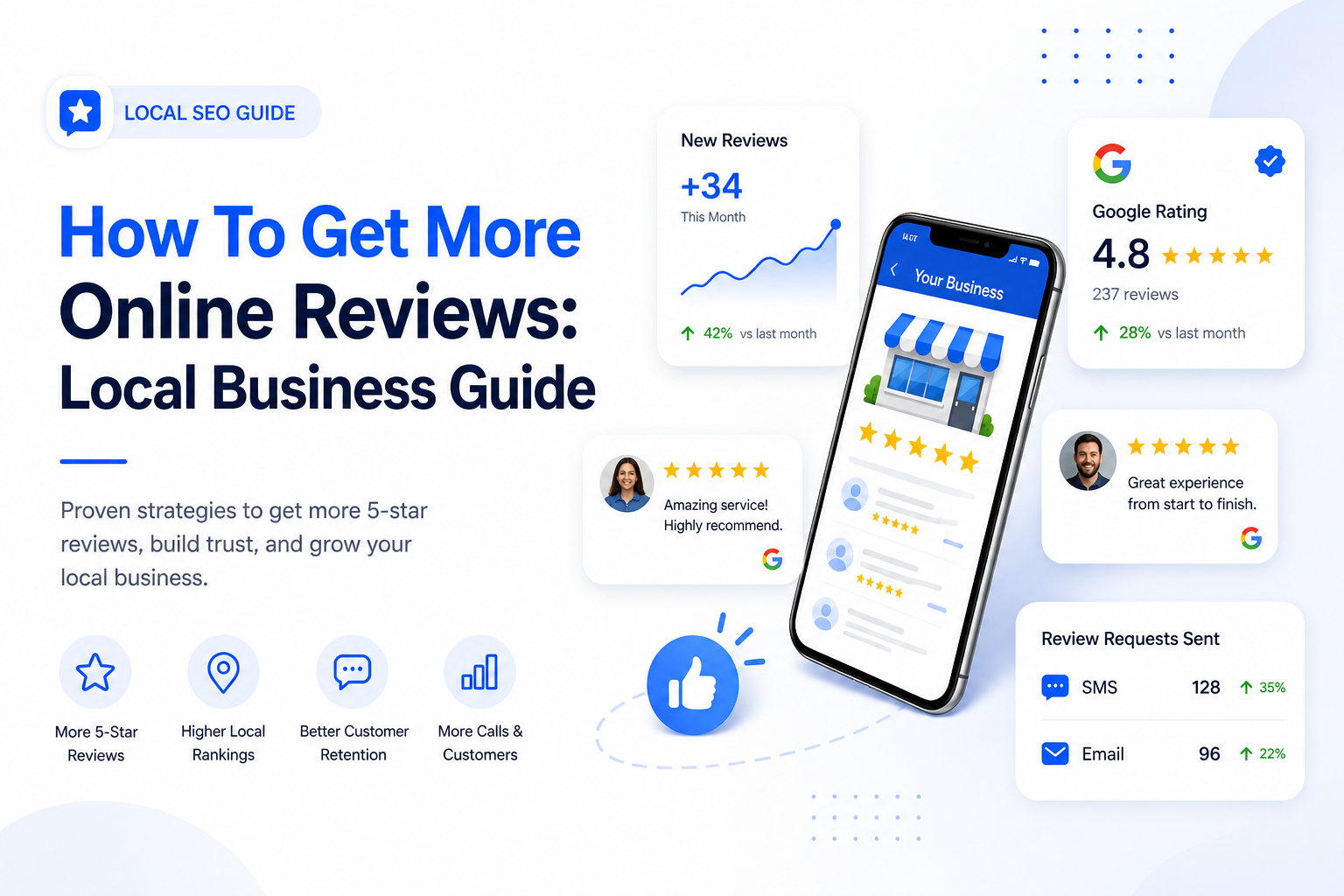
Most local businesses do good work, but their online review profile does not always prove it.
The team shows up, solves problems, answers questions, and leaves customers satisfied. Then the customer gets busy and never leaves a review.
Meanwhile, the one frustrated customer who had a bad scheduling experience finds the time to write a long public complaint.
That is how a good business can end up looking weaker online than it really is.
The fix is not begging customers, buying reviews, or using risky shortcuts.
The fix is building a repeatable system that makes it easy for real customers to leave honest feedback after real service experiences.
If you are trying to learn how to get more online reviews, the answer is not one magic message. It is a complete process: better timing, cleaner requests, fewer clicks, staff training, review monitoring, and consistent follow-up.
More reviews come from better systems, not random reminders.
Why Online Reviews Matter So Much for Local Businesses
Online reviews are one of the fastest trust signals a customer sees.
Before someone calls a plumber, HVAC company, electrician, roofer, landscaper, cleaner, auto repair shop, clinic, or contractor, they usually check the review profile.
They want to know:
- Does this business show up on time?
- Do customers mention good communication?
- Are the prices clear?
- Does the team solve problems professionally?
- Are the reviews recent?
- Does the owner respond to feedback?
- Does the company look active and trustworthy?
A strong review profile helps customers feel safer before they call. A weak or stale review profile creates hesitation.
That hesitation costs leads.
Reviews affect more than reputation
Reviews influence trust, local visibility, conversion rates, sales calls, and repeat business.
They also shape how customers compare you against competitors. If two businesses offer similar services, the one with stronger recent reviews usually feels like the safer choice.
That does not mean a business needs a perfect rating.
Perfect can even look suspicious if there are only a few reviews.
What customers usually want to see is a healthy review profile with enough volume, strong recent feedback, specific customer comments, and professional responses.
Start With the Customer Experience
No review system can cover up bad service for long.
If customers are regularly disappointed, more review requests will only make the problem more visible.
Before asking for more online reviews, the business needs to tighten the experience customers are actually reviewing.
Service moments that create review-worthy experiences
Customers are more likely to leave positive reviews when the business makes the experience easy, clear, and professional.
That usually means:
- Showing up when promised
- Sending updates if timing changes
- Explaining the work clearly
- Respecting the customer’s home, vehicle, property, or time
- Keeping pricing and estimates clear
- Cleaning up after the job
- Following through on promises
- Making the customer feel heard when something goes wrong
Those details often show up directly in reviews.
The best review strategy starts before the review request is sent.
Make Your Review Destinations Easy to Trust
Before you send customers to leave a review, make sure the destination looks professional.
If a customer clicks a review link and lands on a neglected Google Business Profile, Yelp page, Facebook page, or industry listing, the request loses credibility.
For most local businesses, Google should be the main review destination because it shows directly in search and Maps.
But depending on the industry, reviews may also matter on platforms like Facebook, Yelp, TripAdvisor, HomeStars, DealerRater, Healthgrades, RateMDs, or niche trade directories.
Clean up your Google Business Profile first
A strong Google Business Profile should include:
- The correct business name
- The right primary category
- Accurate hours
- Updated phone number and website link
- Specific services
- Real photos
- Current service areas
- A clear business description
- No obvious duplicate listings
Customers are more likely to complete a review when the profile looks active and legitimate.
Ask at the Right Moment
The timing of the request matters more than most owners realize.
Do not ask randomly. Do not wait weeks. Do not ask before the customer has received the value.
The best time to ask is when the customer’s positive experience is fresh.
Good review request moments by business type
| Business type | Best time to ask | Why it works |
|---|---|---|
| Plumbers | After the repair is complete and the issue is fixed | The customer feels immediate relief |
| HVAC companies | After the system is running properly | The customer can confirm the result |
| Auto repair shops | After vehicle pickup or invoice payment | The service is complete and fresh |
| Cleaning companies | After the customer has seen the finished work | The result is visible |
| Contractors | After project milestones or final walkthrough | The customer can speak to the experience |
| Clinics | After the appointment or visit | The interaction is recent |
The best review requests are tied to completed interactions, not random marketing blasts.
Use Short Review Request Messages
Review requests should be simple.
The customer should understand who is asking, why they are asking, and what to do next.
Long messages reduce action. Too many links reduce action. Vague wording reduces action.
SMS review request templates
Hi [First Name], thanks again for choosing [Business Name] for your [Service]. If you have a minute, would you leave us a quick online review? [Review Link]
Hi [First Name], glad our team could help today. Your feedback helps other local customers find us. Here is the review link if you are open to sharing your experience: [Review Link]
Hi [First Name], thanks for trusting [Business Name]. If everything went well, we would really appreciate a quick review here: [Review Link]
Email review request template
Subject: Quick favor after your service today
Hi [First Name],
Thanks for choosing [Business Name] for your [Service]. If you have a minute, would you mind leaving us a quick online review?
Here is the direct link: [Review Link]
We appreciate your support.
Why these messages work
- They are short.
- They mention the service.
- They use one clear link.
- They do not pressure the customer.
- They do not ask for a specific star rating.
- They feel like a normal follow-up.
The customer should not have to search for your business. Send them directly to the review page.
Google’s own Business Profile guidance recommends asking customers for reviews by sharing a review link and replying to reviews to build trust with future customers. The practical takeaway is simple. Your review workflow should make the request easy, direct, and connected to a real customer experience, not something staff have to improvise job by job.
Train Staff to Mention the Review Request
Automation works better when the customer is not surprised by the message.
A technician, service advisor, office manager, or front desk person can set up the review request naturally.
The script should be simple:
Glad we could help today. You may get a quick text with a review link. If you are open to sharing your experience, it really helps our local business.
This does not pressure the customer. It simply prepares them.
For contractors and project-based businesses, the wording can be adjusted:
We appreciate you trusting us with the project. I will send over a review link in case you would like to share your experience.
Automate Review Requests Without Spamming Customers
Manual review collection falls apart when the business gets busy.
Someone forgets. A technician moves to the next job. The office gets slammed. The request never gets sent.
That is why automation matters.
Automation does not mean blasting every customer. It means sending the right request at the right time after the right interaction.
What a good automated review workflow looks like
- The job, appointment, invoice, or booking is marked complete.
- The customer receives a short SMS or email request.
- The message uses a direct review link.
- A polite reminder goes out only if appropriate.
- Repeat customers are protected by cooldown rules.
- The business gets alerted when new reviews arrive.
- The team tracks requests, reviews, and responses.
This kind of workflow can connect to CRMs, booking tools, invoicing systems, customer lists, or job management platforms.
Automation rules that protect the customer experience
- Do not ask the same customer too often.
- Do not send review requests before the service is complete.
- Do not send requests after unresolved complaints.
- Do not ask for a specific rating.
- Do not use pushy reminders.
- Do not make staff manually remember every request.
The goal is not to ask more aggressively. The goal is to ask more consistently.
Avoid Risky Review Tactics
This part is important.
Trying to get more online reviews can tempt businesses into shortcuts that create long-term problems.
Do not trade a short-term review bump for reputational risk.
Do not do these things
- Do not buy reviews.
- Do not offer discounts, gifts, or rewards in exchange for reviews.
- Do not ask only happy customers to review you publicly.
- Do not block unhappy customers from leaving reviews.
- Do not ask customers to leave specific keywords.
- Do not ask customers to mention specific employees as part of a campaign.
- Do not pressure customers to leave five stars.
- Do not post fake reviews from staff, friends, family, or vendors.
- Do not use review gating to filter criticism away from public platforms.
The safest review strategy is straightforward:
- Ask real customers.
- Ask after real service experiences.
- Make the process easy.
- Let customers speak honestly.
- Respond professionally.
- Use feedback to improve operations.
Respond to Reviews Quickly and Professionally
Getting more reviews is only half of the job.
The business also needs to respond.
Responses show future customers that the business is active, listening, and accountable.
Positive review response examples
Thanks for the kind words, [First Name]. We appreciate you choosing our team.
We are glad the service went smoothly. Thanks for taking the time to leave a review.
Thank you for trusting us with your project. We really appreciate your support.
Negative review response examples
Thank you for the feedback. We are sorry to hear the experience did not meet expectations. Please contact our office so a manager can review what happened and work toward a resolution.
We appreciate you bringing this to our attention. We would like to look into the details directly. Please contact our team with your service date and contact information.
We are sorry the communication fell short. Clear updates matter to our team, and we would like to review what happened so we can improve the process.
Do not argue in public. Do not reveal private details. Do not sound defensive.
Future customers are watching how the business handles pressure.
Track the Metrics That Actually Matter
More reviews should lead to stronger trust and better business outcomes.
To understand whether the system is working, track more than the total review count.
Useful review metrics
- Review request volume: How many requests are being sent?
- Review conversion rate: How many requests turn into reviews?
- Review recency: Are new reviews coming in regularly?
- Average rating: Is the rating improving or staying stable?
- Response coverage: Are reviews being answered?
- Response speed: How quickly does the team reply?
- Location performance: Are some branches outperforming others?
- Team performance: Are certain staff members mentioned often?
- Complaint themes: Are customers repeating the same issues?
Review data should feed operations.
If customers repeatedly mention delays, fix scheduling. If they mention unclear pricing, fix estimate communication. If they praise a technician repeatedly, learn from what that person is doing well.
A 90-Day Plan to Get More Online Reviews
A random review push usually fades quickly.
A 90-day system gives the business a better chance of making review generation part of the operating rhythm.
Days 1 to 15: Fix the foundation
- Audit your Google Business Profile.
- Update business name, category, hours, phone number, website, and service areas.
- Add missing services.
- Upload real photos.
- Find the correct direct review link.
- Choose the main review platforms that matter for your business.
Days 16 to 30: Build the request process
- Write SMS and email templates.
- Decide when each review request should go out.
- Train staff on how to mention the request naturally.
- Add one polite reminder if appropriate.
- Create cooldown rules for repeat customers.
- Decide who monitors new reviews.
Days 31 to 60: Automate the workflow
- Connect review requests to completed jobs, appointments, invoices, or bookings.
- Test the workflow internally.
- Confirm the correct review link is being sent.
- Check that repeat customers are not over-messaged.
- Start tracking request volume and review conversion.
Days 61 to 90: Improve and optimize
- Respond to every new review.
- Track review themes.
- Compare review performance by location, team, or service.
- Fix repeated service issues.
- Add strong reviews to your website and service pages.
- Review the system monthly.
This plan will not create overnight perfection.
It will create a repeatable process that keeps working after the initial push is over.
Where ReviewCatch Fits
ReviewCatch helps local businesses turn review generation into a repeatable workflow instead of a task that depends on staff memory.
The problem is usually not that businesses do not care about reviews.
The problem is that the request does not go out consistently.
The office gets busy. Technicians move to the next job. Customers forget. Reviews get missed.
ReviewCatch helps local businesses:
- Send review requests after real customer interactions
- Use SMS and email follow-ups
- Connect requests to completed jobs, invoices, bookings, or customer records
- Apply cooldown rules for repeat customers
- Track review activity by location, team, or workflow
- Monitor new reviews
- Respond faster
- Display reviews on the website
- Keep review generation from falling apart during busy weeks
ReviewCatch does not create a good reputation by itself.
The business still has to do good work.
But when the work is good, ReviewCatch helps make sure satisfied customers have a simple path to leave honest public feedback.
Final Takeaway
Getting more online reviews is not about tricks.
It is about making good customer experiences easier to capture.
The businesses that win are usually not asking louder. They are asking smarter. They ask at the right moment, use a direct link, keep the message short, train staff properly, automate the workflow, respond to reviews, and track what is working.
That is the real answer to how to get more online reviews.
Do good work. Ask consistently. Remove friction. Avoid risky tactics. Turn feedback into a system.
If your team is still asking for reviews manually, ReviewCatch can help turn review generation into a repeatable workflow.
Ready to get more online reviews?
ReviewCatch helps local businesses send review requests, follow up with customers, apply cooldown rules, track review activity, and turn reputation growth into a repeatable workflow.
Start getting more reviews with ReviewCatch