
Online Reputation Management Software for Local Businesses: What to Look For in 2026
Learn how local businesses can use online reputation management software to collect more Google reviews, automate review requests, respond faster, and build a more trustworthy online presence.

William Peterson
Growth Marketing @ ReviewCatch
A crew finishes a long day. The van is packed, the invoice is sent, and the customer says, “Thanks, that was great.” Then the phone rings, the next job starts, and the review request never goes out.
That is how a lot of local businesses lose reviews.
Not because customers are unhappy. Not because the work was bad. Because the process depends on memory, spare time, and someone on the team remembering to send one more text before moving on.
Manual follow-up sounds manageable until the business gets busy. Then it becomes inconsistent. And inconsistent review generation weakens local visibility, trust, and conversion.
For service businesses, that is a real commercial problem. BrightLocal’s 2026 Local Consumer Review Survey found that 85% of consumers are more likely to use a business after reading positive reviews, while 77% are deterred by negative reviews. The same survey found that 93% of consumers have made a purchase after reading reviews.
When most prospective customers check reviews before calling, a loose manual process is not a small admin issue. It is a revenue leak.
Why Manual Review Requests Usually Fail
A plumbing owner finishes a water heater replacement and means to ask for a review. The customer is happy. The timing is perfect. But the team is already behind, the office is chasing tomorrow’s schedule, and the request gets pushed to “later.”
Later usually means never.
Another version is just as common. The office sends a generic email two days after the job with a long subject line, no direct Google review link, and wording that sounds like it was copied from a receipt template. The customer ignores it. Not because they disliked the service, but because the request created friction.
That is the core problem with manual review management. It relies on good intentions instead of a repeatable process.
Good intentions do not scale across a busy HVAC company, an auto repair shop, a cleaning business, a dental office, a landscaping company, or a contractor juggling multiple crews.
Manual follow-up breaks in predictable ways
- Timing slips: The request goes out too late, after the positive moment has passed.
- Messages feel generic: A bland email gets treated like admin noise.
- Staff participation varies: One technician or service adviser asks every time. Another never does.
- Nothing gets tracked: Management cannot see which jobs generated reviews and which ones were missed.
- No one owns the workflow: Review requests become “something we should do” instead of a standard post-job step.
A review request works best when it arrives while the customer still remembers the technician, the fix, and the relief of having the job done.
Online reputation management software exists because this is an operational problem, not a motivational one. A business does not need another reminder taped to a monitor. It needs a system that turns review generation into a normal part of the customer workflow.
What Is Online Reputation Management Software?
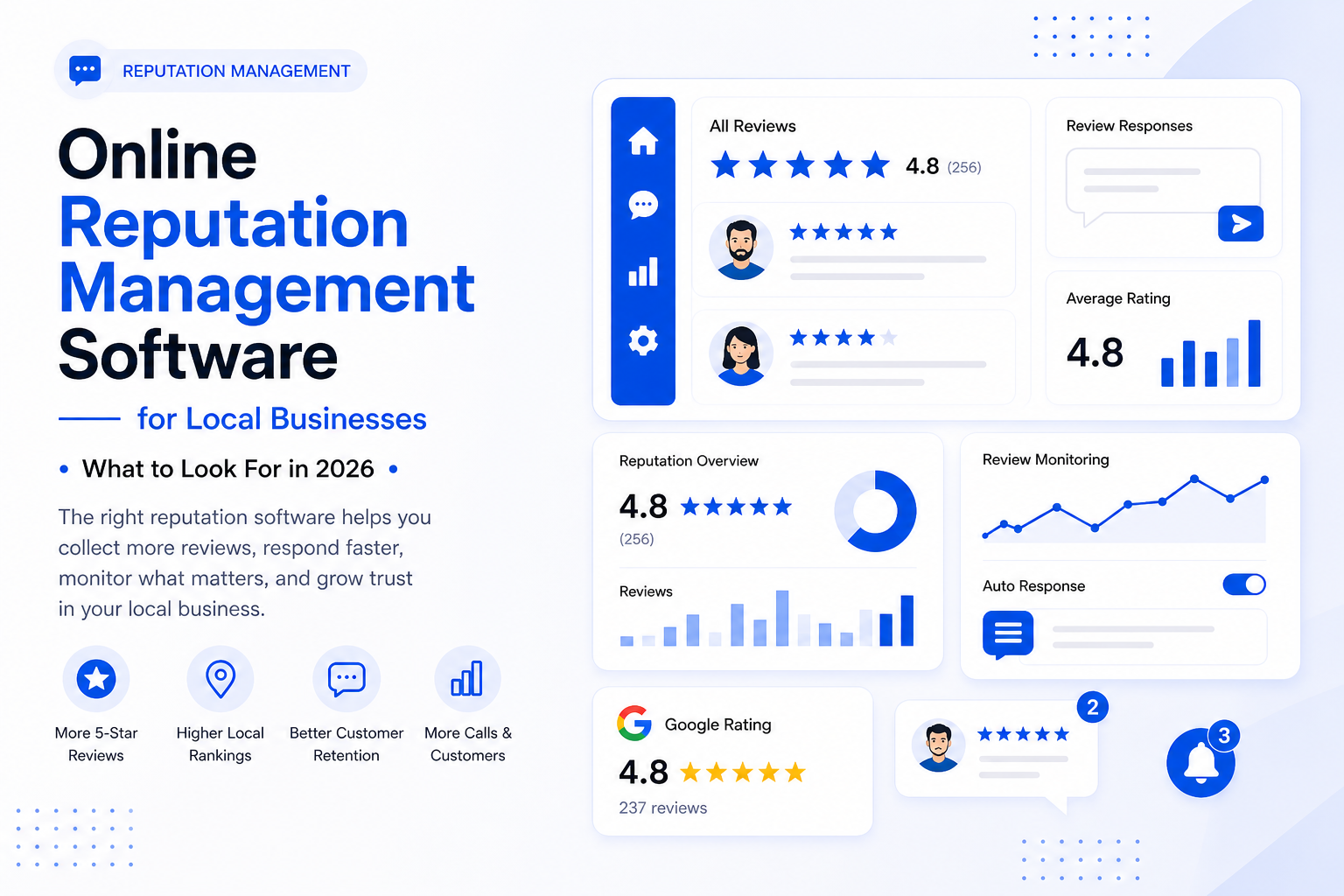
Online reputation management software is a tool that helps a business collect, monitor, respond to, and manage customer reviews across platforms like Google Business Profile and other review sites.
For a local service business, the simplest way to think about it is this:
It is a review follow-up system that works automatically after real customer interactions.
Instead of relying on someone in the office to remember who should get a review request, the software can help send requests, track responses, alert the team to new feedback, and keep review activity organized in one place.
It does not replace good customer service. It supports it.
What ORM software does day to day
For a contractor, clinic, shop, or service manager, online reputation management software usually helps with five practical jobs:
- Requesting reviews automatically after a completed job, appointment, invoice, or customer interaction.
- Sending SMS and email review requests with direct links to Google or another review platform.
- Monitoring new reviews so the business does not have to check platforms manually.
- Helping the team respond faster with review alerts, response queues, and sometimes AI-assisted drafts.
- Showing trends over time so owners can spot issues by location, service line, staff member, or customer type.
This is different from a social media scheduler. Social tools focus on posts, comments, and content calendars. ORM tools are centered on reviews, ratings, local listings, response workflows, and reputation analytics.
For local service businesses, that difference matters because Google Business Profile often influences the first phone call.
Why Reviews Matter More in 2026
Reviews are no longer just social proof. They influence search behavior, buying confidence, website visits, and whether a customer feels safe calling one business over another.
BrightLocal’s 2026 research found that after reading positive reviews, 54% of consumers visit the business’s website. That means reviews do not just sit on Google. They push people deeper into the buying journey.
The same research found that 89% of consumers expect business owners to respond to reviews, and 81% expect a response within a week. A business that collects reviews but ignores them can still damage trust.
That is why reputation management is not only about getting more five-star reviews. It is about building a visible, active, trustworthy feedback system.
For local businesses, that usually means three things:
- Get reviews consistently.
- Respond to reviews professionally.
- Use feedback to improve operations.
A business with great service but no process for collecting reviews will often look weaker online than a competitor with average service and a better follow-up system.
That may not feel fair, but it is how customers compare options now.
Core Features to Look For in Online Reputation Management Software
Good ORM software should fit into the way a business already operates. If the office has to export customer lists, chase staff, or manually trigger every request, the software adds friction instead of removing it.
The best tools behave like an extension of the front office. They connect review generation to real business activity.
1. Automated review requests
Review request automation is the core feature.
After a job is completed, an appointment is finished, or an invoice is paid, the software sends a review request by SMS, email, or both.
Timing matters. A plumber may want a message sent 30 minutes after the work order closes. A cleaning company may want to wait until the customer has had time to inspect the property. An auto shop may want the request to go out after vehicle pickup.
A strong platform should let the business control:
- When the request is sent
- Whether SMS, email, or both are used
- What the message says
- Which review link is included
- How often repeat customers can be contacted
The goal is simple: make the review request easy, timely, and consistent.
2. Direct Google review links
The fewer steps a customer has to take, the better.
A good review request should send the customer directly to the right place. For many local businesses, that means a direct Google review link connected to the correct Google Business Profile location.
Google itself recommends asking customers to leave reviews by sharing a Google review link or QR code, as long as the request follows Google’s policies.
This matters because friction kills reviews. If the customer has to search your business name, find the right listing, click through multiple screens, and figure out where to leave feedback, many will drop off.
One clear link is better.
3. CRM, booking, invoicing, or POS integrations
Integration is what separates a useful review system from another task your team has to remember.
The software should connect with the systems already running the business, such as a CRM, booking tool, invoicing platform, dispatch software, or point-of-sale system.
That could include platforms like Jobber, Housecall Pro, HubSpot, QuickBooks, Square, Salesforce, Pipedrive, or other tools depending on the business.
The exact integration matters less than the workflow.
Can the software trigger a review request from a real completed customer event?
If the answer is no, someone still has to manage the process manually. And if the process stays manual, it will eventually break during a busy week.
4. Review monitoring and alerts
Getting reviews is only one part of the job. Businesses also need to know when new reviews come in.
A useful reputation platform should notify the right person when a new review is posted, especially if it is negative or needs a fast response.
This helps prevent bad reviews from sitting unanswered for days. It also makes it easier to thank customers who leave positive feedback.
Review monitoring is especially useful for:
- Multi-location businesses
- Franchises
- Contractors with several crews
- Shops with multiple service advisers
- Any business where ownership is not checking Google every day
5. Response management
Responding to reviews is part of modern customer service.
BrightLocal’s 2026 survey found that businesses that respond to every review are more likely to be used by 80% of consumers. It also found that templated or generic responses make 50% of consumers unlikely to choose a business.
That is an important warning.
AI-assisted responses can save time, but they should not make the business sound fake. Positive reviews can often be handled with simple, friendly replies. Negative reviews need more care, especially when the issue involves pricing, damage, missed appointments, billing, safety, or staff behavior.
A good platform should help the team move faster without removing human judgment.
6. Reporting by location, team, or service type
A useful dashboard should answer practical management questions:
- Which locations are getting the most reviews?
- Which locations are falling behind?
- Are certain services generating complaints?
- Are customers mentioning the same issue repeatedly?
- Are review requests being sent consistently?
- Are response times improving?
For a single-location business, this creates clarity. For a multi-location business, it prevents head office from missing a weak branch while the brand-wide average still looks fine.
Review data is not just marketing data. It can reveal service issues, training gaps, communication problems, and operational strengths.
7. Website review widgets
Many ORM platforms let businesses display selected reviews on their websites.
Used properly, this can help convert visitors who are already close to taking action. A review widget near a quote form, booking page, financing page, or service page can reduce hesitation.
This is especially important because many consumers do more research after reading reviews. If someone reads your Google reviews and then visits your website, your website should reinforce the same trust signals.
Fresh reviews usually work better than a static testimonial section that has not changed in a year.
How to Choose the Right ORM Software
Most buyers make the mistake of shopping by feature count.
That is how businesses end up paying for a large platform built for corporate marketing teams when what they actually need is a simple review system that fits daily operations.
The right choice usually comes down to workflow, ease of use, compliance, reporting, and how much manual work the platform removes.
ORM software selection checklist
| Evaluation area | What to look for | Why it matters |
|---|---|---|
| Automation | SMS and email review requests triggered by completed jobs, invoices, appointments, or customer records | Keeps review generation consistent without relying on staff memory |
| Google Business Profile support | Direct Google review links and support for the correct business location | Reduces friction and helps customers leave reviews in the right place |
| Integrations | Connection to the CRM, booking, dispatch, invoicing, or POS system already used by the business | Prevents manual exporting, copying, and follow-up work |
| Compliance controls | No review gating, no incentives, no selective solicitation of only happy customers | Helps protect the business from risky review practices |
| Response workflow | Alerts, shared inbox, draft replies, approval flows, or response tracking | Helps the business respond faster and more professionally |
| Multi-location reporting | Visibility by location, branch, service line, or team | Essential for franchises and growing service brands |
| Message customization | Plain-language SMS and email templates that sound like the business | Generic wording gets ignored and can hurt trust |
| Cooldown rules | Limits that prevent repeat customers from being over-messaged | Protects customer experience |
| Website display options | Review widgets or testimonial publishing tools | Turns reviews into conversion support on the website |
| Pricing clarity | Simple pricing that matches business size and usage | Prevents software cost surprises after rollout |
Questions to ask before choosing a platform
- How does the software trigger review requests?
- Can it send requests after completed jobs, paid invoices, or finished appointments?
- Does it support SMS, email, or both?
- Can it connect to the tools we already use?
- Can we prevent duplicate or excessive requests?
- Does it help us respond to reviews faster?
- Can we see performance by location, team, or service type?
- Does the workflow follow Google’s review policies?
- How much manual work will still be required every week?
The best platform is not always the one with the longest feature list. It is the one your team will actually use.
Google Review Rules: What Businesses Need to Know
This part matters.
Review generation should be simple, but it also needs to be clean. Google allows businesses to ask customers for reviews, but the request has to be fair, genuine, and non-manipulative.
According to Google’s Maps user-generated content policy, reviews should reflect real customer experiences. Google does not allow fake engagement, paid reviews, incentivized reviews, or review manipulation.
Businesses should avoid:
- Offering discounts, gifts, payments, or free services in exchange for reviews
- Asking only happy customers to leave reviews
- Discouraging negative reviews
- Pressuring customers to leave a review while they are on the premises
- Asking customers to include specific wording in their reviews
- Asking staff to solicit a specific number of reviews or reviews that mention specific employees
- Posting fake reviews or asking others to post fake reviews
Google says businesses are allowed to encourage genuine reviews, as long as they do not offer incentives or try to influence the rating or content of the review.
That is the line businesses need to stay on the right side of.
Why compliance matters
Google can remove reviews that violate its policies. It can also place restrictions on Business Profiles that violate its fake engagement policy.
Those restrictions may include temporarily blocking new reviews or ratings, temporarily unpublishing existing reviews, or showing a public warning that fake reviews were removed.
For a local business, that is a serious risk.
The safest review strategy is not clever. It is consistent:
- Ask real customers.
- Ask at the right time.
- Make the process easy.
- Do not offer rewards.
- Do not filter unhappy customers away from Google.
- Respond professionally.
That approach may be less flashy than review hacks, but it is more durable.
Implementing ORM Software Without Overcomplicating It
Implementation is usually less technical than business owners expect.
For most local businesses, the first version of the system should be simple. Do not try to build a massive automation map on day one. Start with one reliable workflow.
A simple rollout plan
- Connect the review destination: Start with the Google Business Profile location or locations that matter most.
- Connect the operating system: Link the CRM, booking tool, invoicing system, dispatch platform, or POS if the software supports it.
- Choose the trigger: Decide what event should send the review request. Examples include completed job, paid invoice, finished appointment, or closed service ticket.
- Write the SMS and email templates: Keep the wording short, polite, and direct. Do not overthink it.
- Set timing rules: Choose when the request should go out. The right timing depends on the business type.
- Add cooldown rules: Prevent repeat customers from getting too many requests.
- Assign review response ownership: Decide who handles positive reviews, neutral reviews, and negative reviews.
- Review performance monthly: Look at review volume, response time, rating trends, and recurring feedback themes.
A short message sent at the right time usually beats a polished message sent too late.
Measuring ROI From Reputation Management Software
The return on ORM software should not be measured only inside the software dashboard.
A better approach is to track business outcomes that sit closer to revenue and efficiency.
Useful metrics include:
- New Google reviews per month
- Average rating trend
- Review request send rate
- Review response rate
- Review response time
- Website visits from people who checked reviews
- Calls or form fills from Google Business Profile
- Conversion rate on pages with review widgets
- Review volume by location or service type
- Recurring customer complaints or praise themes
The goal is not just “more reviews.”
The real goal is more trust, more visibility, better conversion, and less manual admin work.
Common Mistakes to Avoid
Even good software can underperform if the business uses it poorly.
Here are the biggest mistakes to avoid.
1. Treating automation as set-and-forget
Automation should remove repetitive work. It should not remove oversight.
Businesses still need to check review trends, reply to customers, and watch for service issues.
2. Using robotic templates
A message that sounds fake will be ignored. A review reply that sounds copied and pasted can hurt trust.
Keep templates short, human, and specific enough to feel real.
3. Automating sensitive replies
AI can help draft responses, but negative reviews often need a manager or owner.
Do not let automation create a public argument, admit liability, or sound dismissive.
4. Review gating
Do not ask customers how their experience was, then send only happy customers to Google.
That is risky. Google does not allow businesses to discourage negative reviews or selectively solicit positive reviews.
5. Asking for specific wording
Do not tell customers to mention a technician by name, include a specific keyword, or write a certain type of review.
Ask for honest feedback. Let the customer write in their own words.
Real-World Examples
Home service contractor
A plumbing company completes dozens of jobs each week. Before automation, only the office manager remembered to send review requests, and only when the day was not chaotic.
After setting up an automated workflow, each completed job triggers a short review request with a direct Google link. The business gets a steadier stream of reviews without asking the office to chase every customer manually.
Auto repair shop
An independent garage has strong customer relationships, but the front counter is busy. Staff forget to ask for reviews during pickup, and customers move on with their day.
With an SMS review request sent after pickup, the shop reaches customers while the experience is still fresh. Management can also monitor review trends instead of checking Google manually between walk-ins and supplier calls.
Cleaning business
A cleaning company serves repeat clients and one-time deep cleans. Without cooldown rules, repeat customers could be over-messaged. With the right ORM setup, the business can request reviews after key jobs while avoiding excessive follow-up.
Multi-location service brand
A franchise has several locations. The overall rating looks acceptable, but one branch has slower response times and more complaints about communication.
A central review dashboard makes the issue visible. The business can coach that branch, improve follow-up standards, and monitor whether the trend improves.
That is where reputation software becomes more than a marketing tool. It becomes an operations tool.
Where ReviewCatch Fits
ReviewCatch is built for local businesses that want a simpler, more consistent way to collect and manage customer reviews.
Instead of relying on staff memory, ReviewCatch helps businesses turn review requests into a repeatable workflow. That means local operators can spend less time chasing follow-ups and more time serving customers.
For contractors, shops, clinics, cleaners, and service brands, the goal is straightforward:
Make it easier for happy customers to leave honest reviews, while giving the business a cleaner system for tracking and responding to feedback.
If your business still depends on manual review requests, ReviewCatch can help you build a better process.
Final Takeaway
Online reputation management software is not just about getting more stars.
It is about turning customer feedback into a consistent business system.
The right platform helps local businesses ask for reviews at the right time, reduce manual admin, respond faster, avoid risky review practices, and use feedback to improve operations.
In 2026, that matters because customers are not just looking at your website. They are checking your reviews, reading your responses, comparing you against competitors, and deciding whether you feel trustworthy enough to contact.
A strong reputation does not happen by accident.
It is built through good service, consistent follow-up, and a system that makes customer feedback impossible to ignore.
Ready to stop missing reviews?
ReviewCatch helps local businesses build a more consistent review request process, collect more customer feedback, and manage their online reputation with less manual work.
Start collecting more reviews with ReviewCatch