25 Google Review Request Templates for SMS and Email
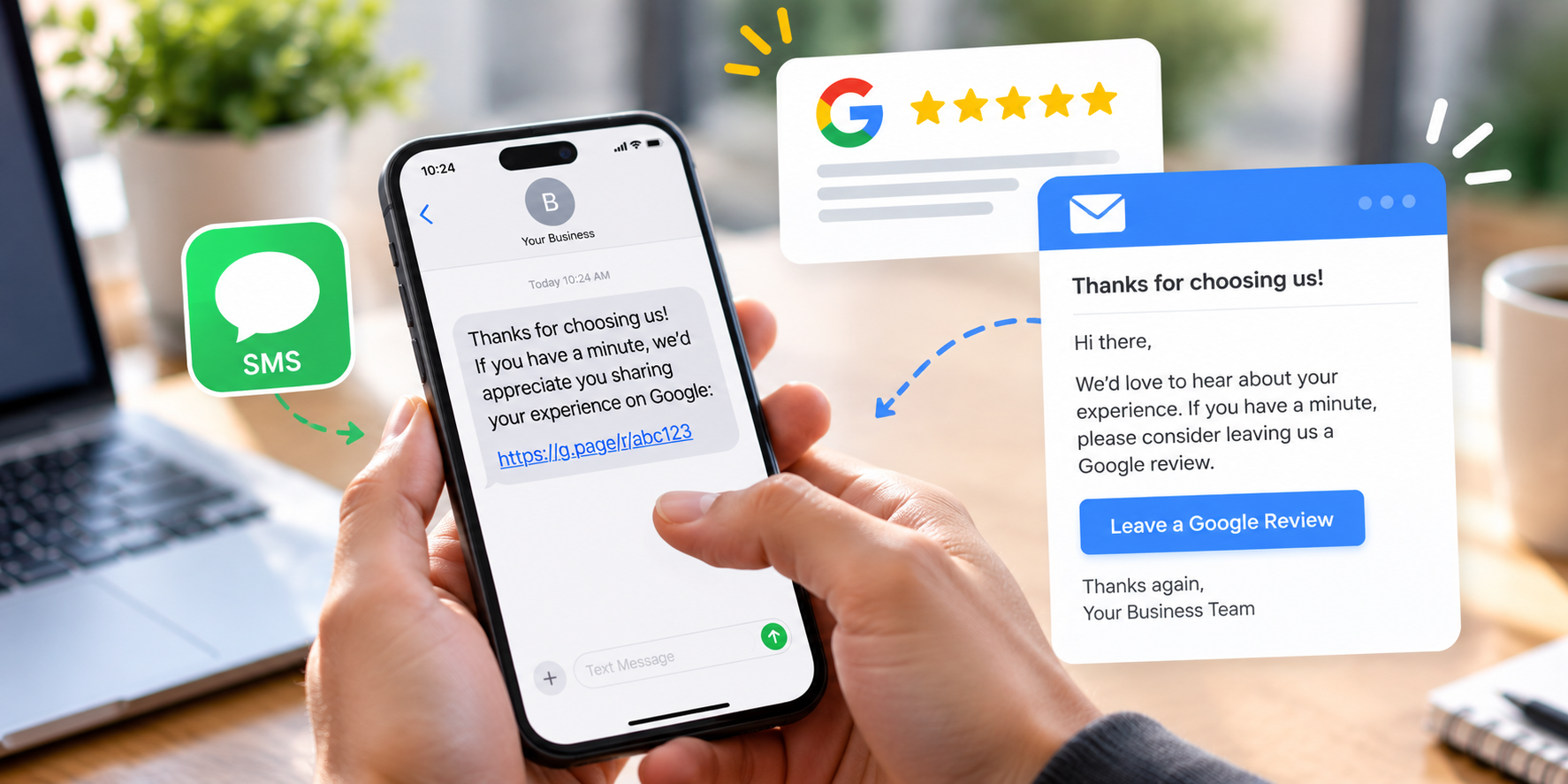
Getting more Google reviews often comes down to one simple thing: asking.
A customer can have a great experience, tell you how happy they are, and still never think to leave a review. They aren't ignoring your business. They just have other things to do.
A short follow-up can make the difference.
The request doesn't need to be clever or persuasive. In most cases, the best messages are simple: thank the customer, ask them to share their experience, and give them a direct link.
Below are 25 Google review request templates you can adapt for SMS and email, along with some practical advice on when to use them.
Before You Send a Review Request
Google allows businesses to ask customers for reviews. It even provides businesses with a direct review link and QR code that can be shared with customers through email and other communications.
There are still some rules worth knowing.
Google says reviews should represent genuine customer experiences. Businesses shouldn't offer discounts, free products, payments, or other incentives in exchange for reviews. Businesses also shouldn't discourage negative reviews, selectively ask only for positive reviews, pressure customers into leaving a particular rating, or tell customers what their review should say.
So your request should be neutral.
Ask customers to share their experience, not to “leave us five stars.” That small difference matters.
Make sure you have:
- Your direct Google review link
- A clear point in the customer journey when requests will be sent
- One or two message templates your team can use consistently
- A reasonable follow-up process
- A way to track how many requests you're sending
Don't overcomplicate it.
Google Review Request Templates for SMS
SMS works particularly well when customers already communicate with your business by text. People tend to read texts quickly, so the request should be short. There's rarely a good reason to send a paragraph-long explanation.
Here are 15 templates:
Simple and Direct
This is a good default for most businesses. There's no unnecessary explanation and the customer knows exactly what you're asking.
Friendly and Casual
This works well when your normal customer communication is fairly casual.
After a Completed Service
Referencing the service makes the message feel less generic without telling the customer what to write.
Contractor Review Request
Useful for plumbers, electricians, HVAC companies, painters, landscapers, roofers, and other service businesses.
Very Short Version
Sometimes shorter really is better.
Personal Thank-You
This feels more like a genuine follow-up than a marketing message.
Same-Day Follow-Up
Good for services where the customer can judge the experience immediately.
After Project Completion
This works better than a generic message after a larger job or longer project.
After Pickup
Useful for repair shops, retail businesses, detailing businesses, and other companies where customers pick something up.
After Delivery
Don't send this until you're reasonably confident the customer has received what they ordered.
After a Positive Conversation
This fits naturally after a customer has already expressed satisfaction.
Warm but Simple
A little warmer without becoming overly formal.
No-Frills Version
This is more neutral than asking specifically for a positive review.
First Reminder
This works well as a single reminder a few days after the first request.
Very Short Reminder
After this, leave the customer alone. There's little benefit in turning a review request into a string of reminders.
Choose two templates: one initial request and one reminder. Then decide when each should be sent.
Test the Google review link yourself before sending anything.
Google Review Request Templates for Email
Email gives you a little more room, but that doesn't mean the message should become an essay. The customer still needs to understand the purpose quickly.
- • How did we do?
- • Thanks for choosing [Business Name]
- • We'd appreciate your feedback
- • Share your experience
- • Thanks for working with us
Here are 10 email templates:
Simple Review Request
Hi [First Name],
Thanks again for choosing [Business Name].
If you have a minute, we'd appreciate it if you shared your experience with us on Google.
[Leave a Google Review]
Thanks again, [Name]
This is probably the safest all-purpose email on the list.
Short and Casual
Hi [First Name],
Thanks for working with us.
If you'd like to share your experience, you can leave us a Google review here:
[Review Link]
Thanks, [Name]
There isn't much to improve by making this longer.
After a Service Appointment
Hi [First Name],
Thanks for choosing us for your recent [service].
If you have a moment, we'd appreciate hearing about your experience.
[Leave a Google Review]
Thanks again, [Name]
Referencing the service helps the customer immediately understand which experience you're asking about.
After Completing a Project
Hi [First Name],
Now that your project is complete, we wanted to say thanks again for choosing [Business Name].
If you'd like to share your experience, you can leave us a Google review here:
[Review Link]
All the best, [Name]
Good for businesses where the customer relationship lasts several days or weeks.
Thank-You Email With Review Link
Hi [First Name],
We appreciate you choosing [Business Name].
If you have a minute, we'd love to hear about your experience.
[Share Your Experience on Google]
Thanks again, [Name]
No elaborate explanation is necessary.
Customer Feedback Version
Hi [First Name],
Thanks for choosing [Business Name].
Customer feedback helps us understand how we're doing. If you'd like to share your experience, you can do so on Google here:
[Review Link]
Thank you, [Name]
Notice that this asks for feedback, not praise.
Service Business Version
Hi [First Name],
Thanks for trusting us with your [service].
We hope everything went smoothly. If you have a moment, we'd appreciate you sharing your experience on Google.
[Leave a Review]
Thanks, [Name]
This works well for home-service and appointment-based businesses.
Review Request Inside a Completion Email
Hi [First Name],
Thanks again for choosing [Business Name]. Your [service/project] is now complete.
If you have any questions, feel free to get in touch.
And if you'd like to share your experience, you can leave us a Google review here:
[Review Link]
Thanks, [Name]
This approach can work especially well because the review request doesn't require a separate email. It's simply part of the customer's normal post-service communication.
Email Reminder
Hi [First Name],
Just following up in case you didn't have a chance to share your feedback earlier.
If you'd still like to leave a Google review, here's the link:
[Review Link]
Thanks again, [Name]
Keep reminders relaxed. The customer doesn't owe you a review.
Minimal Email
Hi [First Name],
Thanks for choosing [Business Name].
If you'd like to share your experience on Google:
[Review Link]
We appreciate your business.
[Name]
Sometimes this is all you need.
Don't create five different emails unless you actually need them. Start with one standard post-service email, one project-completion version if your business needs it, and one reminder. If customers already receive a receipt, completion email, or thank-you message, consider adding your review link there rather than creating another email.
Which Review Request Should You Use?
There isn't one template that will work best for every business. The right one depends on how you normally communicate with customers.
If your business already uses text messaging for appointments, arrival notifications, quotes, or service updates, an SMS request will probably feel natural. If most communication happens by email, keep it there.
Don't suddenly text customers who have never received a text from your business simply because you've heard SMS gets better response rates. The request should feel like part of the existing customer experience.
“Thanks for choosing [Business Name], [First Name]. If you have a minute, we'd appreciate you sharing your experience on Google: [Review Link]”
Subject: Thanks for choosing [Business Name]
Hi [First Name], thanks again for choosing us. If you have a moment, we'd appreciate you sharing your experience on Google. [Leave a Google Review] Thanks, [Name]
You can always improve the wording later. Getting the process running consistently matters more than spending three weeks trying to write the perfect sentence.
When Should You Send a Google Review Request?
Send the request when the customer has had enough time to experience what they paid for, but while the interaction is still fresh. That might mean:
- 30 minutes after a completed service
- Later that afternoon
- The morning after a project is completed
- Shortly after the customer picks up their vehicle
- After a successful installation
- Once an order has been delivered
- After an issue has been resolved
The exact timing will depend on the business. A plumber fixing a clogged drain might ask later that day. A landscaper completing a major backyard project might wait until the customer has seen the finished result. Don't obsess over finding a universal “best” time. Find the moment that makes sense in your own customer journey.
Take your last 10 customer transactions and ask: At what point had each customer clearly received the value they paid for? That's probably close to where your review request belongs.
How Many Times Should You Ask?
Usually, once is enough to start. If the customer doesn't respond, one polite reminder a couple of days later can make sense. After that, stop.
A customer who ignores two review requests probably doesn't need a third, fourth, and fifth message. Remember that leaving a review is voluntary. Your process should make it easy to leave one without making the customer feel chased.
A straightforward sequence:
- • Day 0: Service or transaction completed
- • Day 0 or 1: Initial review request
- • Day 2 or 3: One reminder
- • After that: No more review requests for that transaction
What Not to Put in a Review Request
Some wording can make a harmless review request unnecessarily risky.
Avoid asking customers to:
- ✕ “Leave us five stars”
- ✕ “Give us a positive review”
- ✕ “Help us maintain our 5.0 rating”
- ✕ “Mention your technician by name”
- ✕ “Include the service we performed”
- ✕ “Change your review and we'll make it right”
Google says businesses may ask for genuine reviews, but they shouldn't pressure customers for particular ratings or specific review content. Google also prohibits incentives and selectively soliciting positive reviews.
There's also no need to offer customers something for reviewing you. Google specifically prohibits offering payments, discounts, free goods, or free services in exchange for posting, changing, or removing a review.
Build a Simple Review Request System
Templates only help if they actually get used. Instead of expecting employees to remember to ask every customer manually, define exactly when the request should happen.
Then track a few basic numbers each month:
Requests sent & reviews received
Total review count & average rating
Reviews ÷ Requests × 100
If you send 100 review requests and receive 17 reviews, your conversion rate is 17%. If that number is lower than you'd like, don't immediately start sending more reminders. Look at the process first: Is the message too long? Is the request being sent too late? Does the link work? Does it sound natural?
Keep It Simple
You don't need a perfectly written review request. You need one that sounds normal, arrives at the right time, and makes leaving feedback easy.
A customer shouldn't have to read three paragraphs to understand what you want. They shouldn't have to search for your business on Google. And they shouldn't feel like you're telling them what rating they're supposed to leave.
Then let the customer decide what they want to say.