SMS vs. Email Review Requests: Which Should Your Business Use?
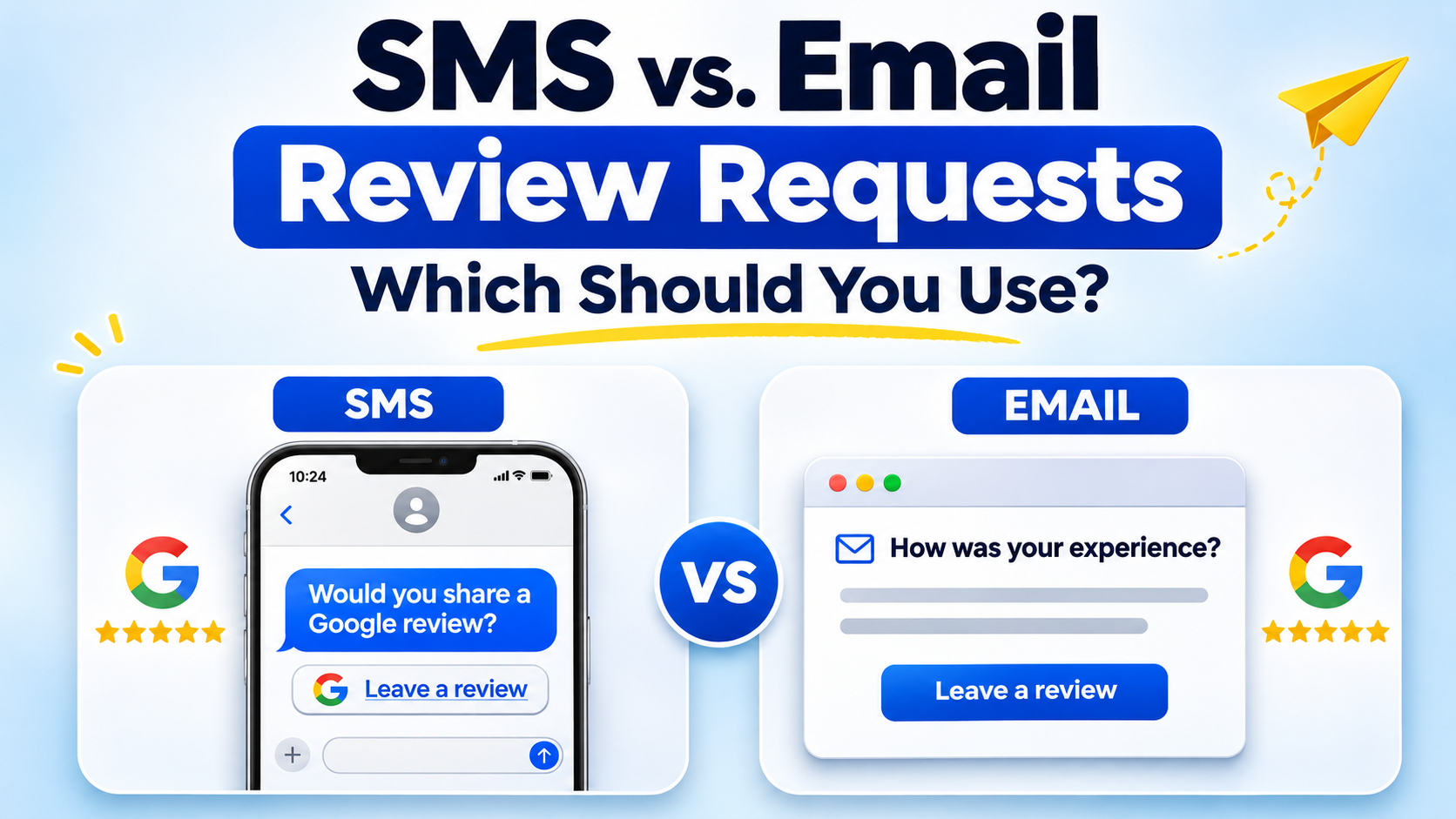
For a local service business, the best place to start is the channel customers already use to communicate with you.
If you arrange appointments and send arrival updates by text, SMS is a practical first option to test. If customers receive estimates, invoices, and project updates by email, an email review request may feel more familiar.
Using both can also work, provided you have permission to use each channel and manage the messages together.
The decision should come down to whether customers recognize the request, can act on it easily, and actually publish a review. Your sending costs and customer reactions matter too.
Here is how to compare the options, build a sensible follow-up process, and test what works for your business.
SMS and email review requests at a glance
| Consideration | SMS review requests | Email review requests |
|---|---|---|
| Contact information | A valid mobile number you can use for the request | A valid email address you can use for the request |
| Message format | A short invitation with a direct review link | A brief message with room for project context and business details |
| Natural fit | Customers who already communicate with you by text | Customers who receive your documents and updates by email |
| Recognition | Include your business name in the message | Use a recognizable sender name and clear subject line |
| Potential friction | An unfamiliar number or unexpected message | An unfamiliar sender, cluttered inbox, or message filtering |
| Cost considerations | Messaging charges, including any additional segments or media | Email provider or platform fees and sending volume |
| Measurement | Delivery, link activity, replies, opt-outs, and attributable reviews | Delivery, link activity, replies, unsubscribes, and attributable reviews |
You can start with either channel. Collecting an email address or a mobile number gives you a potential way to invite feedback, subject to appropriate permission.
When SMS is a good choice
SMS suits a simple request connected to a recent service.
Imagine a plumbing company that texts a customer before arrival. After completing the repair, it sends a short message identifying the business and linking to Google. The invitation continues a communication pattern the customer already recognizes.
A text works well when the message needs little explanation. The customer should be able to understand who is contacting them, why, and what the link is for without reading a long paragraph.
Before choosing SMS, check your records. A phone number may be outdated, belong to someone else, or be a landline. Confirm that it is appropriate for texting and that you have permission for the intended message.
Make sure someone monitors replies. A customer might respond with a question about the service instead of leaving a review. That reply needs attention rather than another automated reminder.
Choose reasonable sending hours in the customer’s time zone. A job completed late at night can trigger a request the following day.
For recurring services, also prevent duplicate requests. A weekly maintenance visit should not automatically create a fresh review campaign every week for the same customer.
When email is a good choice
Email gives you room to provide context while keeping the request clear.
That can be useful for larger projects, work completed some time ago, or businesses that already manage customer relationships through email.
A roofing customer who received estimates and scheduling updates by email may recognize a follow-up from the same business. A landscaping customer contacted several months after a project may benefit from a brief reminder of the work and when it happened.
Use a sender name the customer will recognize. A clear subject line, such as “A quick request from [Business Name],” helps explain the purpose.
Keep the body focused. Include a short thank-you, a reference to the service, and one main review link. A large newsletter layout with several offers gives the customer more to navigate.
Test the email on a phone. Check that the text is readable, the link is obvious, and essential information remains understandable if images do not load.
Watch delivery failures and correct inaccurate records. Repeatedly sending to an invalid address will not give the customer another opportunity to respond.
Email is also a practical starting point when it is the only suitable contact detail you collect. You can improve the process you already have before adding another channel.
Compare completed reviews rather than relying on open rates
Claims about message open rates can make channel selection sound simpler than it is.
A message being delivered does not establish that someone read it. Twilio’s SMS delivery reporting distinguishes delivery from reading; ordinary SMS does not provide the same read-status reporting available on certain other messaging channels.
[Source: Twilio message status documentation]
Email open tracking also has limits. Apple’s Mail Privacy Protection can prevent senders from knowing whether a recipient opened a message.
[Source: Apple Mail Privacy Protection]
A link click is useful evidence of activity, but the customer still has to complete the review process.
Use delivery and link data to investigate where people may be dropping off. Judge the campaign using published reviews you can reasonably attribute to it, alongside costs and customer feedback.
Should you use SMS and email together?
A coordinated sequence is worth testing when you have reliable details and permission for both channels.
The second channel gives you another way to present the invitation, but it also adds another contact with the customer. Plan the sequence as one campaign.
A reasonable starting approach is:
- Send the first request through the customer’s usual channel after the work is complete.
- Allow several days for a response.
- Consider one polite reminder through the same channel or another permitted channel.
- Stop when you know the customer has reviewed, declined, or opted out.
For example, a service company might send a text after a routine repair, followed by one email several days later. A project contractor might reverse the order because email was the main channel during the job.
These are schedules to test, not proven optimal intervals.
Avoid running separate SMS and email automations that each send their own full series. A customer receiving both can end up with more reminders than you intended.
Keep the customer’s review status, replies, and communication preferences connected across the campaign. A request to stop should lead to a respectful end to the review sequence.
Write a request the customer can recognize and act on
A good request identifies your business, refers accurately to the service, asks for honest feedback, and provides a convenient link.
Google provides a review link you can copy from your Business Profile and share with customers. Use the correct location’s link and test it before sending.
[Source: Google review link guidance]
Customers must sign into a Google Account to leave a review. Switching channels will not remove that step.
[Source: Google review guidance]
The following templates show the core wording. Add the sender details, contact information, and working unsubscribe options appropriate to your campaign.
SMS request after a completed job
“Hi [First Name], thanks for choosing [Business Name] for your [Service]. Would you share an honest Google review about your experience? Here’s the link: [Review Link]. Thank you. Reply STOP to opt out.”
Use the STOP instruction with a messaging setup that processes those replies. Check how the complete message appears after names, links, and any required details are inserted.
Email request after a completed job
Subject: How was your experience with [Business Name]?
Hi [First Name],
Thank you for choosing [Business Name] for your [Service].
Would you be willing to share an honest Google review about your experience? Your feedback helps other customers learn about our business.
Leave a review: [Review Link]
Thanks for your time.
[Name]
[Business Name]
[Business contact details]
[Unsubscribe link]
A polite follow-up
“Hi [First Name], a quick follow-up from [Business Name]. If you’d like to share a review about your recent [Service], here’s the link again: [Review Link]. If you’ve already reviewed us, thank you.”
Keep the follow-up optional and include the appropriate opt-out details. Avoid telling someone they have not reviewed you unless you can establish that accurately.
Keep permission and review policies part of the process
Check that you can use each contact detail for your intended message. Having a phone number for appointment coordination does not automatically establish permission for every future campaign.
For Canadian businesses, CASL’s requirements for commercial electronic messages cover email and SMS. Messages within that scope generally require consent, sender identification, and an unsubscribe mechanism.
The message’s content and purpose matter when determining whether those rules apply. Retain the records supporting your campaign, and check requirements in the jurisdictions you serve.
[Source: CRTC guidance on commercial electronic messages]
Consent records also need attention when contacting older customers. The CRTC explains that implied consent can be time-limited, while express consent can continue until withdrawn.
[Source: CRTC consent guidance]
For Google reviews, invite honest feedback consistently across eligible customers. Google prohibits incentives for reviews and selectively soliciting positive feedback.
[Source: Google Maps review policies]
Apply consistent criteria, such as completed jobs during a chosen period, rather than predicting who will give the highest rating.
Understand what each channel actually costs
Compare the full process, including messages, platform fees, staff time, and any follow-ups.
SMS costs can depend on message length and characters. Twilio documents how longer texts and certain characters can increase the number of message segments. Check your provider’s billing, particularly when using personalized text or images.
[Source: Twilio SMS length and encoding guidance]
For email, check whether your provider charges by contacts, sending volume, or another plan limit. Avoid assuming that a message has no cost simply because there is no separate charge visible when you send it.
This fictional example illustrates the comparison:
| Campaign result | SMS campaign | Email campaign |
|---|---|---|
| Customers invited | 100 | 100 |
| Attributable published reviews | 18 | 10 |
| Illustrative sending costs | $18 | $3 |
| Reviews per customer invited | 18% | 10% |
| Sending cost per attributable review | $1.00 | $0.30 |
These are invented figures for explanation, not provider prices or performance benchmarks.
In this example, SMS produces more reviews, while email has the lower sending cost per review. Deciding between them requires considering your budget and whether the additional results justify the additional expense.
Include platform fees and staff time separately when calculating total campaign cost.
Measure results using consistent definitions
Track unique customers invited so a person receiving both a text and an email does not count as two customers.
Useful measures include:
- Customers invited and messages successfully delivered.
- Link activity where available.
- Attributable published reviews.
- Customer questions and other replies.
- Opt-outs and complaints.
- Total campaign costs.
Two calculations help organize the results:
Review completion rate = attributable published reviews ÷ customers invited × 100
Cost per attributable review = campaign costs ÷ attributable published reviews
State which costs are included and give each comparison group the same time to respond.
If no attributable reviews appear, report the spend and zero reviews. A meaningful cost-per-review figure cannot be calculated by dividing by zero.
Attribution may be incomplete. Where you cannot reliably connect new reviews to a specific channel, label the results as estimates or report the overall campaign change. Avoid assigning every new review to whichever channel looks strongest.
Troubleshoot the point where customers stop
If messages are not being delivered, check the contact records and your provider’s delivery reports first. Correct typing errors, outdated addresses, and unsuitable phone numbers. Rewriting the request will not help customers who never receive it.
If customers ask who is contacting them, make the sender easier to recognize. Include your business name near the beginning and refer briefly to the completed work. A generic request from an unfamiliar number gives the customer little context.
If customers click but reviews do not appear, check that the link leads to the right business and that the invitation is clear. Give people time to finish. A customer may be interrupted or need help signing into Google; another reminder is not always the useful next step.
If customers complain about repeated contact, inspect the whole sequence. Your invoicing software, CRM, and review platform may each be sending messages. Reduce duplication and check that stop requests reach every part of the review campaign.
Change one identifiable problem at a time. This makes it easier to understand whether a cleaner list, clearer message, or better-coordinated follow-up improves results.
Run a practical 30-day test
A structured test helps you improve the process while keeping customer contact manageable.
Week 1: Prepare the records and messages
Clean duplicates and invalid contact details. Check permissions, previous opt-outs, and known reviews. Verify the correct Google link.
Prepare comparable SMS and email wording. Set sending hours and a limited follow-up rule before starting.
If comparing channels directly, choose customers eligible for either. People with only an email address cannot fairly be treated as a randomly selected email comparison group.
Week 2: Start with comparable customer groups
Where practical, randomly assign eligible customers to SMS or email. Keep the service types, job completion timing, and observation period comparable.
For example, compare recent routine repairs with other routine repairs. Mixing emergency callouts in one group and large renovations in another makes channel effects harder to interpret.
Week 3: Review delivery and customer replies
Check for failed messages, incorrect personalization, questions, and opt-outs. Correct problems that prevent the campaign from functioning.
Keep a record of any changes. Rewriting only one group’s message halfway through affects what the final comparison can tell you.
Week 4: Evaluate and choose the next step
Compare completed reviews, costs, and customer reactions after the same response window for each group.
A low-volume business may need longer than 30 days to collect useful evidence. Small differences from a handful of requests should lead to further observation.
If one channel performs well and customers respond comfortably, continue it. Test a combined sequence separately if you want to understand whether the extra contact adds enough value.
Adapt the process to your type of service
A plumbing or electrical business that already uses text updates can start with SMS after completed visits, while offering email where that better matches customer preferences.
A roofing or renovation contractor may start with email because estimates, photographs, and scheduling details already arrive there. Include enough project context to make the invitation recognizable.
A recurring landscaping or maintenance company should pay particular attention to deduplication. Use a consistent invitation point and avoid restarting reminders after every visit.
For past customers, check current contact permission and include an accurate reference to the earlier work. Choose the channel supported by your records.
These are practical starting approaches. Use your own customer responses and campaign results to refine them.
Make both channels easier to manage with ReviewCatch
ReviewCatch sends personalized Google review requests by text and email, with follow-ups to support consistent collection. Its features also include requests to past customers and connections to job completion workflows.
Build your process around reliable customer records, recognizable messages, and a clear view of the results.
Start with one suitable channel, establish a repeatable process, and add a coordinated second channel when the evidence supports it.
Ready to Automate Your Google Reviews?
ReviewCatch automatically sends personalized review requests by text and email after completed jobs, handles polite follow-ups, and helps you win more 5-star reviews on autopilot.